Field guide
The long version
Every route, every failure mode, and the measurements behind each fix in the quick start. Written to be read at leisure, not on the night you are trying to get a device working.
This is the long version
If you just want the device working tonight, the quick start is shorter and in order.
Aditya Sreedhar · repo.theadipost.com
Everything in this guide was checked on 31 August 2026, against live servers and against my own hardware — an iPad 4 (iPad3,4) running iOS 6.1.3, build 10B329. Where I could not verify something, I say so in the text rather than smoothing over it. Where something used to work and no longer does, I name it, because half the advice on the web for these devices is from 2013 and stopped being true without anyone updating the page.
If you find something here that has rotted, section 10 tells you how to check for yourself. That matters more than any individual fact below.
Start here — three questions
Answer these before reading anything else. They decide which parts of this guide apply to you, and one of them decides whether the project is possible at all.
1. Which device is it, exactly? Not the name on the box — the model identifier, like iPad2,1 or iPhone4,1. Section 2.1 tells you how to find it. Two devices sold under the same name can land on opposite sides of the next question.
2. What is it running right now?
- Already on iOS 6, jailbroken — you can skip section 2 entirely. Start at section 3. Read 2.4 first anyway; it takes two minutes and saves your only route back.
- Already on iOS 6, not jailbroken — go to 2.15.
- On iOS 7 or later — this is the one that decides everything, but it is no longer a yes-or-no. Read 2.3 first: for most models Apple stopped signing iOS 6 years ago, so a conventional downgrade — the kind that puts iOS 6 on the whole device — needs SHSH blobs you probably do not have. That is not where the sentence ends. 2.11a dual-boots iOS 6 onto a jailbroken device with no blobs, no signed firmware and no restore, which covers the iPhone 5 sitting on 10.3.x and every other model in that position. Go to 2.11b, find your identifier, and work down its row before you conclude you are stuck.
3. What will it need from a computer? That depends entirely on the route, so it is answered inside each route rather than here. Some devices need macOS. Some need a Linux live USB for one step. And some need no computer at all — if your device is already on iOS 6 through 9 and only needs jailbreaking, that can often be done from Safari on the device itself (2.16).
If question 2 says your device cannot get back to iOS 6, stop here rather than three hours in. That is the most useful thing this guide can tell you.
Which device is this for?
Pick one and the routes that do not apply to it are hidden. Everything else in the guide stays as it is.
Showing only.
How to read this guide
- Straightforward
- A few taps in Cydia, or a setting. Nothing that can hurt the device.
- Some effort
- SSH, moving files, or replacing something the system owns. Read the whole step before starting it.
- Home lab
- Needs a machine on your network that stays on — a NAS, a Pi, a spare box. This is where the device stops being a curiosity.
0. Read this before you touch anything
There is one thing that will ruin your day faster than everything else in this guide combined, so it goes first.
For most devices, Apple no longer signs iOS 6. If your device ends up in recovery mode and you restore it with Finder or iTunes, you will get the newest signed firmware — and iOS 6 will be gone permanently. On an iPad 4 that means iOS 10.3.3. On an iPod touch 5, iOS 9.3.5. On an iPhone 5, iOS 10.3.4. There is no way back without SHSH blobs you almost certainly do not have.
There are two exceptions, and they are genuinely good news:
- iPod touch 4 (iPod4,1) and iPhone 3GS (iPhone2,1) — Apple still signs iOS 6.1.6 as a full IPSW. These devices can always be put back.
- iPad 2 (iPad2,1 / 2,2 / 2,3) and iPhone 4S (iPhone4,1) — Apple still signs the iOS 6.1.3 OTA package. These can be walked back too.
Everything else is a one-way trip. Which means:
- Do not tap Erase All Content and Settings on a jailbroken iOS 6 device. It routinely boot-loops, and the standard fix for a boot loop is a restore you cannot afford.
- Before you install your first tweak, get SSH working and test that you can log in. That is your only non-destructive recovery path: if a Substrate tweak puts the device into safe mode or a boot loop, you SSH in and delete the offending
.dylibfrom/Library/MobileSubstrate/DynamicLibraries/. Without SSH, your options are much worse. - Take a copy of
/etc/hostsand/private/var/Keychains/TrustStore.sqlite3before you start changing them. Both get modified by things in this guide, and neither is cleanly reverted by uninstalling a package.
I am not saying this to be dramatic. The actual risk of bricking one of these devices is low — most things that look like a brick are a fifteen-second button hold. The risk that is real and common is losing iOS 6 itself, and there is no undo for that.
1. What an iOS 6 device can and cannot be in 2026
Let me set expectations before the first instruction, because the gap between what people hope for and what is achievable is where the frustration lives.
What genuinely works. These devices are excellent LAN clients. Plain http:// to a machine on your own network is completely unaffected by everything that breaks the modern web on iOS 6 — no certificates, no ciphers, no negotiation. A Home Assistant dashboard, a NAS admin page, a printer's web UI, a self-hosted anything: all fine. The hardware is still fast enough for what it was designed to do. The screens are good. The batteries are the weak point, not the silicon.
YouTube works — properly, with sign-in, subscriptions and playlists — through a tweak called TubeReplacer, capped at 360p. Maps works. Weather and Stocks work. Music works if you bring your own files or your own server. Push notifications partly work. The stock VPN client speaks IPsec and L2TP/IPsec and can talk to a strongSwan server on your own network today.
What is permanently gone. The App Store cannot be relied on. Apple's iOS 6 Siri backend was retired years ago. The bundled YouTube app was removed in iOS 6 and spoke an API Google killed in 2015. iMessage and FaceTime were dead on iOS 6 until recently, and are now recoverable: Apple retired the old plaintext login in stages — Game Center in early 2024, FaceTime and iMessage in late 2023, and iCloud plus the last iMessage/FaceTime endpoint for iOS 6 in 2026 — and a tweak called GSAPort ports Apple's modern GrandSlam authentication back to iOS 5–8 to answer them. I have Messages working through it on my own iPad. See 6.2a below. On an iPhone 4, 4S or 5, the cellular side is largely finished: none of them support VoLTE, and the 2G and 3G networks they need for voice have been shut down across much of the world. Check your own carrier before you count on it — I have not verified the per-country picture and will not pretend otherwise.
Safari, honestly. After the certificate fix in section 3, a good share of major sites will complete a TLS handshake. Of the sites I tested today with an iOS 6 cipher profile, Google, GitHub, Amazon, Reddit, the BBC, Apple, Archive.org and Hacker News all negotiated fine; Wikipedia, the New York Times and — with some irony — letsencrypt.org did not. But a completed handshake is not a usable page. Safari on iOS 6 is WebKit 536.26 from 2012. No ES6, no ES modules, no fetch, no WebCrypto. Of the sites whose TLS succeeds, only a handful render usefully. Text-first, deliberately simple sites work. Modern single-page applications show you a blank div.
That is the ceiling for Safari talking to the web directly — and there is a way around it. Put a proxy on a machine you own: it terminates the modern TLS, and hands the device plain http, which never breaks here. That gets you past the cipher failures entirely, and a proxy that also simplifies the page gets you past the 2012 renderer. The options are in 3.11; what it would take to do properly for general browsing is in 9.1. It needs a machine on your network that stays on, which is why this guide keeps calling that the home-lab tier.
So the honest framing is this: an iOS 6 device in 2026 is a very good offline and local-network device, and a poor general-purpose web browser. If you go in expecting to open Safari and browse the 2026 web unaided, you will be disappointed no matter how much work you do — the way through is a proxy you run yourself (3.11, 9.1), not a setting on the device. If you go in wanting a dedicated music player, a reader, a controller for things on your own network, a small screen that does one job well — it is a genuinely nice piece of hardware.
2. Getting onto iOS 6, and getting it jailbroken Some effort
Already on iOS 6 and jailbroken? This whole section is behind you — skip to section 3, which is where the device actually becomes useful. Read 2.4 first, though: it takes two minutes and saves the blobs that are your only way back if anything later goes wrong.
This is no longer one problem. It is four, and which one you have is decided entirely by your device's model identifier — not its marketing name. Two devices both sold as "iPad 2" can land in completely different categories.
2.1 Find your model identifier
Not the name on the box. The identifier: iPad2,1, iPad2,4, iPhone4,1, iPod5,1.
- On a device that boots: Settings → General → About → Model, then look that number up at https://ipsw.me/device-finder.
- With libimobiledevice on a computer:
ideviceinfo -k ProductType. - On a dead or DFU device: let Legacy iOS Kit tell you. It reads the board configuration over USB even in DFU and prints the identifier.
Do not try to read this off the back case. The iPad 2 revisions iPad2,1 and iPad2,4 are both model A1395 — Apple's own identification page lists A1395 for "iPad 2 (Wi-Fi)" with no revision split, and the EMC number people cite for telling them apart is a Mac convention that is not printed on iPad back cases. Legacy iOS Kit distinguishes them by board config (k93 versus k93a, which it labels "iPad 2 (Wi-Fi, Rev A)"). Use the kit, or a serial-number lookup service.
This is not pedantry. iPad2,1 can be put back on iOS 6.1.3 today with no blobs. iPad2,4 cannot — not by that route, anyway; it still has options in 2.11b. Same case, same box, different silicon.
2.2 Can your device run iOS 6 at all?
Two devices people buy for this project by mistake:
- iPad 1 (iPad1,1): no official iOS 6, but that is not the end of the sentence. Apple never released iOS 6 for it — 5.1.1 is the last official version and the only one Apple signs. What that does not mean is that the device is stuck there. The iPad 1 is limera1n-vulnerable, so it can boot images Apple never signed (this is the same property that makes Route B work — see 2.8), and LukeZGD ships an unofficial untethered iOS 6 for the iPad 1 and iPod touch 3. It is a real route, and it is documented in 2.11c.
- iPhone 5c (iPhone5,3 / 5,4) cannot run iOS 6. It shipped with iOS 7. There is no iOS 6 firmware for it.
2.3 What Apple is signing right now
I queried Apple's TSS through api.ipsw.me on 2026-08-31. This is the whole decision table.
| Identifier | Device | Signed OTA | Signed IPSW | iOS 6 reachable without blobs? |
|---|---|---|---|---|
| iPhone2,1 | iPhone 3GS | 6.1.6 | 4.1, 6.1.6 | Yes — just restore (2.7) |
| iPod4,1 | iPod touch 4 | 6.1.6 | 6.1.6 | Yes — just restore (2.7) |
| iPhone3,1/3,2/3,3 | iPhone 4 | 7.1.2 | 7.1.2 | Yes — bootrom exploit (2.8) |
| iPad2,1 / 2,2 | iPad 2 | 6.1.3, 8.4.1, 9.3.5 | 9.3.5 | Yes — 6.1.3 OTA (2.10) |
| iPad2,3 | iPad 2 (CDMA) | 6.1.3, 8.4.1, 9.3.5, 9.3.6 | 9.3.5, 9.3.6 | Yes — 6.1.3 OTA (2.10) |
| iPhone4,1 | iPhone 4S | 6.1.3, 8.4.1, 9.3.5, 9.3.6 | 9.3.5, 9.3.6 | Yes — 6.1.3 OTA (2.10) |
| iPad2,4 | iPad 2 (Mid-2012) | 8.4.1, 9.3.5 | 9.3.5 | No — blobs required (2.11) |
| iPad2,5/2,6/2,7 | iPad mini 1 | 8.4.1, 9.3.5(/9.3.6) | 9.3.5(/9.3.6) | No — blobs required (2.11) |
| iPad3,1/3,2/3,3 | iPad 3 | 8.4.1, 9.3.5(/9.3.6) | 9.3.5(/9.3.6) | No — blobs required (2.11) |
| iPad3,4/3,5/3,6 | iPad 4 | 8.4.1, 10.3.3(/10.3.4) | 10.3.3(/10.3.4) | No — blobs required (2.11) |
| iPhone5,1 / 5,2 | iPhone 5 | 8.4.1, 10.3.3, 10.3.4 | 10.3.3, 10.3.4 | No — blobs required (2.11) |
| iPod5,1 | iPod touch 5 | 8.4.1, 9.3.5 | 9.3.5 | No — blobs required (2.11) |
| iPad1,1 | iPad 1 | 5.1.1 | 5.1.1 | No official iOS 6 — unofficial route, see 2.11c |
| iPhone5,3 | iPhone 5c | 10.3.3 | 10.3.3 | n/a — cannot run iOS 6 |
(The OTA endpoint reports some versions as 9.9.10.3.3; that is an OTA versioning convention, not a typo. I have normalised it above.)
Apple has never explained why it still signs the 6.1.3 and 8.4.1 OTA packages, and there is no commitment that it will keep doing so. Re-check before you commit — the one-liner is in section 10.
2.4 If your device is already on iOS 6, harvest it before you erase it
If you are holding a working, activated iOS 6 device, that is a more valuable asset than a restore you can redo. Before you consider erasing it:
- Back it up.
- Save its onboard SHSH blobs — Legacy iOS Kit → Save SHSH Blobs → Onboard Blobs.
- Dump its activation records — Misc Utilities → Activation Records, or run the script with
--activation-records.
Legacy iOS Kit re-stitches activation records automatically in three cases: for the specific models it flags as 9900-IMEI candidates (iPhone4,1, iPhone5,2, iPad2,7, iPad3,2, iPad3,6) when they are in Normal mode and already activated; for any 32-bit device where records were previously saved; and for the models it flags as having a known activation issue. My own iPad3,4 is in none of those categories — so if you have an iPad 4 like mine, do not assume the automatic path covers you. Dump the records manually.
2.5 Install Legacy iOS Kit
Everything below runs through it. Download the current release from https://github.com/LukeZGD/Legacy-iOS-Kit/releases/latest. As of today that asset is Legacy-iOS-Kit_v26.08.39.zip, 16,418,379 bytes, rebuilt 2026-08-31 12:56 UTC. Ignore the release tag date — the tag is a rolling latest published in 2022; the asset is what matters.
- Hosts: macOS 10.11+ (12.6+ recommended) and Linux (Ubuntu 22.04+, Fedora 40+, Debian 12+, Arch and derivatives). x86_64 and arm64 both fine.
- Windows: Windows does not appear anywhere in the supported list. Windows users need a Linux live USB. (Note that Aquila, the jailbreak, does have a Windows build — it is the kit that does not.)
What you need, by host computer. Read this before you start, because the restore and the jailbreak do not want the same machine:
| Your computer | Restore (2.6 – 2.11) | Jailbreak (2.15) |
|---|---|---|
| macOS | Native | Native |
| Windows | Boot a Linux live USB | Back in Windows |
| Linux | Native | No Linux build — use the on-device route in 2.16 |
A Linux live USB is a twenty-minute detour, not an evening: write an Ubuntu image to a USB stick, boot from it, run the kit, reboot back. You do not install anything or touch the Windows partition.
- macOS device-detection problem: if the kit cannot see your device, enable the no-Finder flag (Misc Utilities → Enable no-finder flag) to stop Finder grabbing it.
The repository is the most actively maintained thing in this space — 2,911 stars and pushed the day I checked.
2.6 Entering DFU
Steps 2.7 through 2.10 all need DFU mode, and it is the most failure-prone manual action in the whole process. Legacy iOS Kit prompts you through it with on-screen timings; follow those. The standard sequence for these home-button devices is:
- Connect the device to the computer.
- Hold Power and Home together for about 10 seconds.
- Release Power while continuing to hold Home for about another 10 seconds.
The screen stays completely black in DFU. If you see the Apple logo, you held Power too long. If you see a "Connect to iTunes" graphic, you are in recovery mode, not DFU — those are different states. To get out of DFU, hold Power and Home for about 15 seconds.
2.7 Route A — iPod touch 4 and iPhone 3GS: just restore
For iPod4,1 and iPhone2,1, iOS 6.1.6 (build 10B500) is signed right now, both as a full IPSW and as OTA. Download the 6.1.6 IPSW from ipsw.me and restore with Legacy iOS Kit (Restore/Downgrade → Latest iOS), or with idevicerestore. No exploit, no blobs, no tethering.
This is by far the least risky way onto iOS 6 in 2026, and it is invisible in old guides because in 2013 nobody needed it. If you are buying hardware for this project rather than reviving what you own, an iPod touch 4 is the correct purchase: 6.1.6 is its native ceiling, it is A4 so it can never be permanently stranded, and it needs no downgrade at all.
2.8 Route B — A4 bootrom devices: any version, genuinely no blobs
The iPhone 4 (iPhone3,1 / 3,2 / 3,3), iPad 1 (iPad1,1) and iPod touch 3 are limera1n-vulnerable and get a powdersn0w (any iOS) entry in Legacy iOS Kit. It is blobless in practice because the base version it leans on — 7.1.2 for the iPhone 4 — is still signed for everyone.
Two corrections to what you will read elsewhere. First, this is not redsn0w building a custom IPSW; redsn0w has been unmaintained for over a decade. It is powdersn0w, driven by Legacy iOS Kit. Second, powdersn0w on the iPhone 4 tops out at iOS 7.1.1, not 7.1.2 — 7.1.2 is the signed base it uses, not the ceiling you can reach.
Required, not optional: restoring to anything below iOS 9 through powdersn0w requires clearing NVRAM afterwards or the device will not boot. Legacy iOS Kit has a one-click Useful Utilities → Clear NVRAM. Do it. If you skip it, you will get a successful restore followed by a device that will not boot, and reasonably conclude you bricked it.
The Unable to find AppleNANDFTL failure — 8 GB models failing below iOS 6 or 5, newer hardware revisions failing below iOS 5 or 4 — is documented specifically under the iPhone 4 powdersn0w notes, not as a general rule.
2.9 Route B2 — DRA v6, which is better than most guides realise
De-Rebus-Antiquis-v6 is gated in Legacy iOS Kit to exactly three devices: iPad2,1, iPhone4,1 and iPod4,1. It is not an A4-only route, and it is more powerful than Route C for the two devices it overlaps with:
iPad2,1(iPad 2 Wi-Fi) andiPhone4,1(iPhone 4S) get blobless access to any version up to 9.3.5 — not just the 6.1.3 OTA.iPod4,1(iPod touch 4) reaches 6.1.5, not 6.1.6, through this route.
Hard stop, and read it before you start: iPhone 4S units that are not compatible with iOS 6 cannot use DRA v6 and will get stuck in DFU. The diagnostic is: if the restore hangs at
Waiting for NAND, your device is not compatible. Check your serial against a lookup service (sickw or sndeep; the kit's wiki flags Reincubate as possibly inaccurate) before starting. Restoring an iPhone 4S to iOS 5 via this route can also corrupt the baseband.
The same NVRAM-clear requirement applies here for anything below iOS 9.
2.10 Route C — iPhone 4S and iPad 2: Apple still signs the 6.1.3 OTA
For iPhone4,1 and iPad2,1 / iPad2,2 / iPad2,3, Legacy iOS Kit exposes this directly: Restore/Downgrade → iOS 6.1.3. No pre-saved blobs — the kit fetches valid ones for you at restore time. Its own documentation puts it plainly: "You do NOT need blobs for iOS 8.4.1/6.1.3, the script will get them for you."
This wipes the device.
Excluded: iPad2,4. I confirmed today that 6.1.3 is not signed for it on either endpoint. It needs real 6.1.3 or 7.1.x blobs.
2.11 Route D — iPad 3, iPad 4, iPad mini 1, iPhone 5, iPod touch 5: blobs or nothing
This is where I have to be blunt rather than encouraging.
For iPad3,1–3,3, iPad3,4–3,6, iPad2,5–2,7, iPhone5,1 / 5,2 and iPod5,1 there is no signed iOS 6 of any kind. Your untethered options are:
- (a) Real saved SHSH blobs for a 6.x build → Other (Use SHSH Blobs).
- (b) Saved iOS 7.x blobs → Other (powdersn0w 7.x blobs) — 7.1 specifically for
iPad2,4,iPad3,1–3,3andiPhone4,1.
Without either, the only blobless option is Other (Tethered), which gives you a device that needs a computer plugged in to boot every single time. On A5(X) hardware it additionally requires a Raspberry Pi Pico (RP2040) or an Arduino with a USB Host Shield to enter pwned DFU. The Pico 2 / Pico 2 W (RP2350) will not work — the kit is explicit about that.
Most readers holding an iPad 4 or an iPhone 5 will not have blobs. What that costs you is precise: you cannot put iOS 6 on the whole device, untethered, without them. It does not mean you cannot run iOS 6. 2.11a puts a full stock iOS 6.1.3 install on a second partition alongside what is already there, with no blobs and no signed firmware, and it supports every device named in this section. It has real costs — you boot through the host OS, it eats several gigabytes, and activation in the second OS is the one thing I could not verify — but it is a route. 2.11b ranks every option for your exact model.
For grounding: my own iPad 4 is on 6.1.3, restored and activated on 2026-08-19, using blobs. So the conventional route is achievable. It is just not the only one.
2.11a Dual-boot: iOS 6 alongside what is already there
There is a route onto iOS 6 that needs no blobs, no signed firmware and no restore at all, and it works on exactly the devices 2.11 rules out. It is called CoolBooter, it has existed since 2015, and it is not a downgrade — it adds a second operating system next to the one already installed.
I have not run it on hardware. Everything below comes from unpacking the shipped packages, reading the strings out of the binaries, and testing every server it depends on. The mechanism is verified. The end-to-end experience in 2026 is not, and I mark the gaps as they come up rather than at the bottom.
Three stages, all confirmed from the binaries in com.coolbooter.coolbooter-1.6-release.deb:
- It repartitions.
helpers/CoolBooter-partitioneris a fork of gptfdisk with an HFS live-resize bolted on. It shrinks your existing data partition and cuts two new ones —disk0s1s3(second system) anddisk0s1s4(second data). Optionally a third,disk0s1s5, which mounts at/private/var/keybagsand is labelled "DataProtection Workaround (BETA)" in the app. Its own progress string isAbout to write changes to GPT header (cross fingers), which tells you how the author feels about this step. - It installs. It downloads the stock iOS 6 IPSW straight from Apple's CDN, checks it against a known SHA1, unpacks the rootfs onto
disk0s1s3, and writes an fstab into the second OS pointing atdisk0s1s3anddisk0s1s4. It seeds activation state from the host, copies the host'sLockdownfolder, renamesSetup.apptoSetup.notappso Setup Assistant is skipped, disablessoftwareupdatedin the second OS so it never nags about OTAs, and — if you say yes to "Would you like to jailbreak the other OS? (Install Cydia)" — unpacks a bundled Cydia tarball into it. - It boots by kexec.
helpers/multi_kloadertakes the kernel task on the running jailbroken host, loads the iOS 6 kernelcache and devicetree into RAM, and jumps to them with boot-argsrd=disk0s1s3 cs_enforcement_disable=1 amfi=0xff.
Why it needs no blobs, stated plainly, because this is the part people do not believe. iBoot is never re-run and Apple's signing server is never contacted. The signature check that makes an unsigned restore impossible lives in the boot chain, and this method steps around the boot chain entirely — the already-jailbroken kernel you are running does the loading. Apple still hosts the old IPSWs even though it stopped signing them, and hosting is all CoolBooter needs. I HEAD-requested all 22 of the iOS 6.1.3 URLs compiled into the binary on 2026-08-31 and every one returned HTTP 200 from appldnld.apple.com; the iPhone5,1 file is 1,037,540,044 bytes and still there.
Those boot-args are also why the second OS is jailbroken by construction — amfi=0xff and cs_enforcement_disable=1 are set at boot, so code signing is off from the first instruction. That is a property of how it was booted, not an untether on disk.
Two lists, and they do not agree, so I am giving you both.
The project's own supported-device list, verbatim from https://coolbooter.com/ (fetched 2026-08-31): "iPhone 4, iPhone 4S, iPhone 5, iPhone 5c, iPad 2, iPad 3, iPad 4, iPad Mini 1G, and iPod Touch 5G".
The iOS 6.1.3 targets actually compiled into the shipped binary — I extracted these from the firmware table in coolbooter_ and cross-checked against the CLI:
| Identifier | Device | iOS 6 target present? | Auto-boot (Untetherer)? |
|---|---|---|---|
| iPad2,1 / 2,2 / 2,3 | iPad 2 | Yes (6.0 → 6.1.3) | Yes |
| iPad2,4 | iPad 2 Rev A | Yes (6.0 → 6.1.3) | Yes |
| iPad2,5 / 2,6 / 2,7 | iPad mini 1 | Yes (6.0.x → 6.1.3) | Yes |
| iPad3,1 / 3,2 / 3,3 | iPad 3 | Yes (6.0 → 6.1.3) | No — see below |
| iPad3,4 / 3,5 / 3,6 | iPad 4 | Yes (6.0.x → 6.1.3) | Yes |
| iPhone4,1 | iPhone 4S | Yes (6.0 → 6.1.3) | Yes |
| iPhone5,1 / 5,2 | iPhone 5 | Yes (6.0 → 6.1.4) | Yes |
| iPod5,1 | iPod touch 5 | Yes (6.0 → 6.1.3) | Yes |
| iPhone3,1 / 3,2 / 3,3 | iPhone 4 | Yes | No |
| iPhone5,3 / 5,4 | iPhone 5c | No — lowest target is 7.0.1 | n/a |
| iPad1,1, iPod4,1, iPhone2,1 | iPad 1, touch 4, 3GS | URLs present, not on the supported list | No |
The iPhone 5 is supported, confirmed three independent ways: the project names it; multi_kloader recognises the A6 and A6X SoCs (s5l8950x, s5l8955x); and the GUI binary hardcodes iPhone5,1_6.1.3_10B329_Restore.ipsw and the iPhone5,2 equivalent, both of which still download from Apple today.
Three things that are not supported, said plainly rather than left ambiguous:
- iPhone 5c: no. It is on CoolBooter's supported-device list, but that list is about dual-booting in general, not about iOS 6. Its lowest target in the binary is 7.0.1 and there are zero iOS 6 entries for it. This is correct behaviour — the 5c never shipped iOS 6 — but the supported-device list will mislead you. 2.2 stands.
- iPad 1, iPod touch 3, iPod touch 4, iPhone 3GS: no. There are IPSW URLs in the binary for some of these, but they are not on the project's supported-device list and I will not promise them on the strength of a URL table. The iPod touch 4 does not need this anyway (2.7), and the iPad 1 and iPod touch 3 have a better route in 2.11c.
- iPad 3: installs, but does not auto-boot. The Untetherer's compiled device list is
iPad2,1 2,2 2,3 2,4 2,5 2,6 2,7 · iPad3,4 3,5 3,6 · iPhone4,1 · iPhone5,1 5,2 · iPod5,1— fourteen entries, andiPad3,1/3,2/3,3are not among them. An iPad 3 can install and boot the second OS, but you will open the CoolBooter app and press the button every single time. (multi_kloaderdoes names5l8945x, the iPad 3's A5X, so the manual boot should be fine; it is only the automatic path that is missing.)
- A jailbreak on the current OS, with
task_for_pidproperly patched. CoolBooter checks and refuses otherwise: "Your current jailbreak does not have task_for_pid patched properly." This is the whole prerequisite — the second OS is loaded by the first one's kernel. - iOS 7 or later for the GUI. The package declares
firmware (>= 7.0)and the app's ownInfo.plistsetsMinimumOSVersion: 7.0, which is a hard loader-level gate, not advice. The site's "any jailbroken iOS 5 or later" claim refers to the CLI package's looser dpkg metadata; I found no version gate inside either binary, so treat "runs on an iOS 5 or 6 host" as unverified rather than as a feature. - The right jailbreak for whatever it is running now — see the table after this list. This is where an earlier draft of mine was too glib: the host jailbreak is decided by the host OS, not by the device.
- Five Cydia dependencies:
xpwn,zip,unzip,ldid,diskdev-cmds(pluswgetfor the CLI). None of these are on BigBoss — I checked all 9,971 packages and got zero hits. All of them are live on saurik's Telesphoreo repo, which ships as a default Cydia source, so in practice they resolve without you doing anything. Verified present onapt.saurik.comon 2026-08-31. - Internet on the device, because it pulls a roughly 1 GB IPSW from Apple during install.
- Free space. The app enforces a floor of
at least 1.5GB to the other data partition, and the second system partition additionally has to hold the iOS 6 rootfs — the iPhone5,1 6.1.3 IPSW alone is 1.04 GB. Budget 4–5 GB genuinely free. I want to be honest that this is an estimate: the system-partition sizing logic is not exposed in the binary and nobody in this chain has measured a finished install. If you get it wrong the failure string isFailed to partition. You likely need more free space.
Which jailbreak, by what the device is running now. All checked 2026-08-31.
| Host OS | Jailbreak | Survives a reboot on its own? |
|---|---|---|
| 7.0 – 9.3.6 | EverPwnage (LukeZGD), v2.0.1, 2026-05-01 | Yes, with the untether option left on — it is on by default |
| 8.0 – 9.3.4 | Carbon — open http://carbon.sep.lol in Safari. No computer at all | Yes |
| 9.3.5 / 9.3.6 | Carbon, plus the iocaste untether from Cydia | Yes — but do not exit Cydia during that install or you will bootloop |
| 10.0.1 – 10.3.4 | h3lix (tihmstar), RC6 covers 10.3.4 | No — semi-untethered |
| 10.0.1 – 10.3.4 | socket (staturnzz) | No — re-run after every reboot |
For an iPhone 5 or iPad 4 that has been in a drawer on 10.3.x, that means h3lix. For an iPad 2, iPad 3, iPad mini 1, iPod touch 5 or iPhone 4S the ceiling is 9.3.5/9.3.6, so the answer there is EverPwnage or Carbon instead — h3lix is not the universal answer, and I said otherwise in an earlier draft. Note what the right-hand column costs you: it decides whether the Untetherer below can work at all.
Not required: SHSH blobs of any version, a signed IPSW, a computer at any point after you have jailbroken the host, DFU mode, or Legacy iOS Kit.
Where to get it. Add https://coolbooter.com/ as a Cydia source. Two notes that will save you a confused half hour: the repo is HTTPS-only (plain http:// 301-redirects unconditionally, which is the opposite of the advice in 4.1), and it serves only Packages.bz2 — Packages and Packages.gz both 404. That is exactly the trap 4.3 describes, and it is not a sign the repo is broken.
- You transit the host every time. There is no boot picker in iBoot. Every trip into iOS 6 starts by booting the host OS, unlocking it and launching CoolBooter. The CoolBooter Untetherer package hides that — it is a Substrate tweak on the host that fires at SpringBoard launch and kexecs straight into the second OS, so it looks like the device cold-boots into iOS 6. But it can only fire if the host jailbreak survives a reboot on its own. On h3lix or socket it cannot, so on an iPhone 5 on 10.3.x the real sequence is: reboot → re-run the jailbreak → open CoolBooter → boot iOS 6. That is a daily-driver tax and you should decide now whether you will pay it.
- The escape hatch is a key thing to know before you install the Untetherer: hold Volume Down during boot to stay on the host. That is the package's own documented behaviour. Your other recovery is SSH into the host and delete
/Library/MobileSubstrate/DynamicLibraries/cbuntether.dyliband its.plist— which means you want host-side SSH working before you install it, exactly as section 0 says. - Storage is carved out permanently until you uninstall. The main OS never sees that space again.
- Cydia works in the second OS and is offered during install. Everything in section 3 of this guide then applies inside it: it is a 2013 trust store and it will need the certificate work like any other iOS 6 install.
- Do not set a passcode in the second OS. This is the developer's own shouted warning and it appears in almost no write-up: *"Do \NOT\ add a passcode to your other OS when asked. This \WILL\ cause bad things to happen. Only manage your passcode from your main OS."* The keybag handling is the beta part of this tool. Take it literally.
- On Lightning devices — iPhone 5, iPad 4, iPad mini 1, iPod touch 5 — keep the device unplugged. nyan_satan's documentation for the same kexec primitive says the device must be unplugged for its entire uptime before a kloader jump or you get a kernel panic from the AppleTristar kext. This is an inference: it is documented for the manual procedure, not by CoolBooter, but they use the same loader and the failure mode is cheap to avoid.
- Under
socketandp0insettia, CoolBooter fails until you re-sign it. Those jailbreaks sandbox/Applications, and CoolBooter gets stuck at "Extracting firmware". The fix, confirmed in p0insettia issue #4, is to re-sign the app withldidadding the entitlementcom.apple.private.security.no-container. The same thread reports that h3lix does not have this problem. - Niceties that do work: custom boot logos, verbose boot, and a Backups screen that can back up and restore the second OS.
Activation is the real unknown. CoolBooter clearly tries — it copies the host's Lockdown folder, patches mobileactivationd and seeds activation records — but there is a documented 2024 case (Legacy-iOS-Kit issues #622 / #630) of an iPhone 5 that dual-booted successfully and then could not be activated, with no fix found; Legacy iOS Kit mounts only the primary system, so its activation-record stitching cannot reach the second OS. And hacktivation is not a fallback here: it does not cover the iPhone 5, iPad 3, iPad 4, iPad mini 1 or iPod touch 5 at all (2.14). I cannot tell you the second OS will come up activated. Two mandatory precautions follow from that:
- Turn off Find My iPhone and sign out of iCloud on the host before you repartition. The #630 reader found out about Activation Lock afterwards.
- Dump activation records from the current OS first (2.4), while it is still activated and in Normal mode.
Cellular is unverified. The baseband is never downgraded — that only happens during a real restore — so an iOS 6 CommCenter would be driving whatever modem firmware iOS 9 or 10 left behind. CoolBooter clearly attempts to bridge this, copying Mav5-personalized.zip (iPhone 5), Trek-personalized.zip (iPad 3) and Mav7Mav8-personalized.zip plus bbticket.der into the second OS. Whether calls and data work, I do not know. Section 1's point stands regardless: with 2G and 3G shut down and no VoLTE, cellular on an iPhone 4, 4S or 5 in 2026 is largely academic.
I also cannot tell you whether the App Store, Apple ID sign-in or iCloud behave any differently in a dual-booted iOS 6 than in a restored one. Assume 6.2 applies.
Repartitioning is the dangerous step, and it is the only genuinely dangerous one. CoolBooter-partitioner rewrites the GPT of the internal NAND and live-shrinks your main data partition. A failure or a power loss mid-write can leave the host's data partition damaged. The failure strings shipped in the app tell you the shape of it: Couldn't partition device. A reboot might fix this. I'm very sorry if it doesn't, Failed to fixup new user partition. The project's own warning is that it "may cause data loss in events of failure... do not use a device that you would mind needing to factory reset."
Nothing here can permanently brick the device. Every write is to the filesystem and GPT layer — not bootrom, not NOR, not SEP, not baseband. The recovery path is an ordinary restore, and 2.3 shows that every device in this section still has something signed: 10.3.3/10.3.4 for the iPhone 5 and iPad 4, 9.3.5/9.3.6 for the iPad 2, iPad 3, iPad mini 1, iPod touch 5 and iPhone 4S. So the trade is: you risk an OS you can rebuild from a signed IPSW, to gain an OS you otherwise cannot have at all. That is a fundamentally better trade than the tethered route in 2.11.
Uninstalling carries the same class of risk as installing — it reverts the partition table with another GPT write, and warns that "All files on your other iOS install will be lost."
I want to be precise here rather than reassuring.
- The repo is live.
https://coolbooter.com/ReleasereturnsOrigin: CoolBooter Repo;Packages.bz2is a real 3.8 KB index listing three packages across 33 versions. Current: CoolBooter 1.6-release (33,805,256 bytes, sha256a1cc1907e4c0…44caa1c3), CoolBooter CLI 1.1-beta2-release, CoolBooter Untetherer 1.0-release (21,320 bytes). - The code is old. The debs were last touched 2020-10-09, the app's build stamp is from a 2020 machine against the iOS 12.1 SDK, and there is no new code after 2018 — the CLI binary's copyright string reads "Copyright 2015-2018, Jonathan Seals," and the upstream kexec tooling was last pushed 2018-04-30 under the repo description "I'm taking a break, I swear." Say it as: no new code since 2018, last repackaged October 2020.
- Somebody is still tending it. The homepage HTML was edited 2026-05-14 (author credit changed, a Bluesky link added — that account has zero posts), the TLS certificate is freshly issued, and — the strongest signal — there is a runtime dependency on a second host that both binaries fetch a signed manifest from:
https://cache.coolbooter.com/<hash>.plist. The GUI's copy was last modified 2025-12-23. It carries hashes for every helper and drives the message "Your copy of CoolBooter is damaged. Please reinstall via Cydia." That is a second single point of failure you should know about, and it is also proof someone refreshed something eight months ago.
The load-bearing unknown. The newest CoolBooter code is from 2018. iOS 10.3.4 shipped in July 2019 and h3lix only gained support for it in RC6. The iPhone 5 on 10.3.4 with h3lix plus CoolBooter combination cannot have been tested by the author, and I found no primary source confirming anyone else has. The same is true of Carbon and EverPwnage, both of which postdate CoolBooter's last build. The package permits these hosts (firmware (>= 7.0), no upper bound), multi_kloader handles the right SoCs, and the Untetherer special-cases the right devices — but permitted is not tested. Treat this as a route worth attempting on a device whose host OS you can restore, not as a known-working procedure. Mirror the three .deb files locally while you are at it; section 10's philosophy applies, and this is one person's hosting bill away from disappearing.
- CoolBooter CLI — the same engine with no GUI (the helper binaries are byte-identical). Usage is
coolbootercli (iOS version | --boot | --uninstall | --backup [--restore]) (--datasize xGB (--use-dpw)). It cannot target iOS 5 or 8.0–8.1.3 — its own strings say so. It is still labelled beta by its author and has none of the GUI's prompts, including the passcode warning. Use the GUI unless you have a reason not to. - CoolBooter Untetherer — covered above.
com.coolbooter.cbuntether1.0-release, never updated past 1.0. - nyan_satan's manual 32-bit dual-boot guide (
nyansatan.github.io/dualboot), plus thedualbootstuffand WayOut packages — the hand-rolled version of what CoolBooter automates. Its stated requirements include IDA Pro and hand-patching iBoot, so this is not something to send anybody through. It is worth knowing about for two reasons: it documents why the technique works, and it is where the AppleTristar unplugged rule comes from. WayOut is still being touched (repo pushed 2025-01-01) and is mirrored onrepo.legacyios.com. - CoolBooter-Helper (chillboi20) — a third-party TUI wrapper around the CLI, pushed 2025-08-08, which adds a force-uninstall for clearing broken partitions. Unverified by me.
- Stigma — do not install it. It is a repackaging of CoolBooter. Its own issue tracker carries one issue reading "This just repackages coolbooter ):" and another titled "SCAM". It will come up when you search for dual-boot tools.
- FourThree Utility, inside Legacy iOS Kit — not this. It dual-boots an iPad 2 to iOS 4.3.x, not iOS 6, and its first step restores the device to 6.1.3, which consumes the 6.1.3 OTA route in 2.10. The kit itself prints "Support for FourThree Utility is no longer provided. Any issues will not be entertained nor fixed." If you spot it in the menu, that is what it is.
2.11b Every route, by device
For the device families that cannot be conventionally downgraded. Options are ranked by how usable the result is, best first — not by how easy they are. Work down your row and stop at the first one you can actually do.
The shorthands:
- 6.x blobs — real saved SHSH for a 6.x build → Legacy iOS Kit → Other (Use SHSH Blobs). Whole device, untethered. (2.11, and read 2.12 before assuming you have none.)
- 7.x blobs — saved iOS 7 blobs → Other (powdersn0w 7.x blobs). Whole device, untethered. (2.11)
- Dual-boot — CoolBooter. Second partition, blobless, no computer once set up. (2.11a)
- Tethered — Other (Tethered) + Just Boot. Whole device at full storage, but it needs a computer plugged in at every boot. (2.11)
| Device | Options, best result first | Notes that change the answer |
|---|---|---|
| iPad2,4 (iPad 2 Rev A) | 6.x blobs → 7.1.x blobs → dual-boot → tethered | powdersn0w needs 7.1.x specifically, not 7.0.x. Dual-boot auto-boots. Tethered needs a Pico at every boot (A5). |
| iPad2,5 / 2,6 / 2,7 (iPad mini 1) | 6.x blobs → 7.x blobs → dual-boot → tethered | Any 7.0.x or 7.1.x blob works. Dual-boot auto-boots. Tethered needs a Pico at every boot. |
| iPad3,1 / 3,2 / 3,3 (iPad 3) | 6.x blobs → 7.1.x blobs → dual-boot → tethered | 7.1.x only. Dual-boot has no auto-boot on this model — you open the app every time. Tethered needs a Pico at every boot. |
| iPad3,4 / 3,5 / 3,6 (iPad 4) | 6.x blobs → 7.x blobs → dual-boot → tethered | Any 7.x blob. Aim powdersn0w at 6.1.3, not 6.0 — there is an unresolved user report of SpringBoard crashing on 6.0. Tethered needs only a Mac or Linux box, no Pico (A6). |
| iPhone5,1 / 5,2 (iPhone 5) | 6.x blobs → 7.x blobs → dual-boot → tethered | Any 7.x blob. Dual-boot is fully supported here, including auto-boot. Tethered needs only a computer, no Pico (A6). |
| iPod5,1 (iPod touch 5) | 6.x blobs → 7.x blobs → dual-boot → tethered | Any 7.x blob. Dual-boot auto-boots. Tethered needs a Pico at every boot. |
| iPad1,1 (iPad 1) | Unofficial iOS 6 (2.11c) | No official iOS 6 and not on CoolBooter's supported list — do not dual-boot it. Tethered restore is not offered for this model either. |
| iPod3,1 (iPod touch 3) | Unofficial iOS 6 (2.11c) | Same. Not a CoolBooter device. |
| iPhone5,3 / 5,4 (iPhone 5c) | None. It cannot run iOS 6 at all. | It appears on CoolBooter's supported-device list, which misleads — the binary's lowest target for it is 7.0.1. Also excluded from the 8.4.1 OTA route. |
Two things that soften the tethered row, and both come from Legacy iOS Kit's own documentation. First, the Pi Pico is only unavoidable when there is no jailbroken OS to start from — if the A5 device's current OS can be jailbroken, the kit enters kDFU over SSH and needs no hardware at all, and its own advice is "highly recommended to jailbreak your device and follow the jailbroken steps instead." The Pico becomes permanent only after a tethered restore, because at that point there is no jailbroken OS left. Second, Pico W boards do work — only the onboard LED indicator does not. It is the Pico 2 / Pico 2 W (RP2350) that is refused.
The stepping-stone option, for completeness. Apple still signs the iOS 8.4.1 OTA for every device in the table above except the 5c (this is already in 2.3). Restoring there first is a wipe and an extra hour, but it lands you on an OS with a genuinely untethered jailbreak — Carbon, which needs no computer at all — which is the only way the CoolBooter Untetherer can auto-boot. Whether CoolBooter's 2018 binaries actually work under Carbon or EverUntether is untested by anyone I can find, so this is a reasonable experiment and not a recommendation. If you do it, save onboard 8.4.1 blobs the moment you land, which turns a revocable gift into a permanent one.
2.11c Unofficial iOS 6 for the iPad 1 and iPod touch 3
SundanceInH2A (NyanSatan) runs iOS 6 untethered on two devices Apple never shipped it to, by converting a stock IPSW from a related model into one they can run — the iPod touch 3 takes iPhone2,1 firmware, the iPad 1 takes iPad2,1 firmware — with a patched DeviceTree, a development kernel and custom iBoot patches. It is at rev5 as of 2026-07-20 and it is a first-class option inside Legacy iOS Kit: Restore/Downgrade → iOS 6. It is not a curiosity.
- iPod touch 3 (iPod3,1): 6.0, 6.1.3 or 6.1.6.
- iPad 1 (iPad1,1): 6.1.3.
- Needs: the device's own iOS 5.1.1 as the base — still signed for both, so this is blobless — plus pwned DFU. Both are limera1n devices, so no extra hardware.
The limitations are real and the author states them himself: the microphones do not work, the built-in speaker is quieter than on iOS 5, Bluetooth audio devices cannot play (wired headphones are fine), and apps doing complex audio processing may not work. On a cellular iPad 1 the baseband is disabled and the device is auto-hacktivated. There is also an open report of some units having trouble booting the upgraded install.
These are among the hardest devices in this guide to permanently strand — 5.1.1 is signed and they are A4 — so the downside of trying is an afternoon, not the device.
2.12 Check whether you already have blobs you forgot about
Do all three of these before you conclude you have none. Between them they take about ten minutes and they can change which row of 2.11b applies to you.
1. The TSS Saver archive — a public, unauthenticated blob store keyed by ECID. If you or anyone else ever ran TSS Saver, or used blobsaver with its upload option, your blobs may still be sitting there. There is no login. Write your ECID in hex, zero-pad it to sixteen digits, split it into eight two-character segments, and fetch:
https://r2.tsssaver.1conan.com/shsh/AA/BB/CC/DD/EE/FF/GG/HH.tar.zstA 404 means nothing was ever saved for that ECID; a 200 means you have blobs. Decompress with the site's shared dictionary: zstd -d -D tsssaver.zstd.dict <file>.tar.zst. I verified this end to end on 2026-08-31 using the site's own worked example, which returned a genuine saved iPhone5,1 blob. One privacy note, since it cuts both ways: the archive is enumerable by ECID, so anyone who knows yours can pull your blobs. They are only useful on the device they belong to, so the practical exposure is small — but it is not zero.
2. Cydia's TSS server, which is still answering. Cydia saved blobs automatically for devices that ran it while a version was signed. Legacy iOS Kit → Save SHSH Blobs → Cydia Blobs queries it by ECID.
One correction to what I wrote before, and one caveat that matters more than it looks. The correction: "it only holds iOS 5.x, 7.x and builds 10B329/10B350" describes the kit's query list, not the server. The kit's filter skips build prefixes 10, 12, 13 and 14 — so it also still asks for iOS 3.x and 4.x. The caveat: saurik documented a bug in which the iOS 6 tickets Cydia itself collected are unusable — they verify but cannot boot a device. He scopes it precisely to iOS 6.0 through 6.1.2, which is exactly the range Legacy iOS Kit skips. 6.1.3 and 6.1.4 shipped after that article and are not known-bad. Tickets originally dumped by redsn0w, iFaith or TinyUmbrella and later uploaded are fine at any version.
3. Old drives and old accounts. Blobs saved years ago by desktop tools are files on whatever machine ran them. Search the whole drive for *.shsh and *.shsh2 rather than trusting any particular path — the folder locations people quote for TinyUmbrella, iFaith and redsn0w are folklore I could not confirm. blobsaver is alive if you want to save new ones. SHSH Host (api.arx8x.net/shsh3/), blobsaver's other upload target, is dead — the connection is refused. If you saved blobs there, they are gone.
And if you own an iPad2,1, iPad2,2, iPad2,3 or iPhone4,1, do this today. Apple is still signing iOS 6.1.3 for those four models, which means you can mint genuine, permanent 6.1.3 blobs right now — Legacy iOS Kit → Save SHSH Blobs → iOS 6.1.3. Saving is free and the file works forever. When Apple closes that window it never reopens, and Route C (2.10) and DRA v6 (2.9) both stop being blobless the day it does. Do it whether or not you plan to downgrade this year.
Blobs are bound to one device by ECID and cannot be transferred, borrowed or generated. futurerestore consumes them; it does not create them, and for 32-bit devices Legacy iOS Kit drives its own pinned copy internally — you never download it. Two footnotes on that: on the common path the kit does not use futurerestore at all (the Jailbreak Option is on by default and builds a custom IPSW through idevicerestore instead, and on Apple Silicon hosts it always takes that path), and the "your target must be compatible with the latest signed SEP" rule that dominates every futurerestore discussion online applies only to A7 and later. No device in this guide has a SEP. Ignore that entire thread of advice.
2.13 Baseband: less to fear than you think
Legacy iOS Kit flashes the latest baseband during restore, and its own documentation calls the --disable-bbupdate alternative unreliable: "There is a chance of non-working baseband after the restore... Please do not enable this flag and use the latest baseband." Do not touch that flag.
But the exposure is narrower than most guides imply: only cellular variants take the baseband flash. In the kit's source that is iPad2,[67] (not iPad2,5) and iPad3,[56] (not iPad3,4), plus the iPhones. A Wi-Fi iPad 4 or Wi-Fi iPad mini owner has no baseband exposure at all. Cellular iPad 2 and iPad 3 have baseband update disabled for all restores except updating to the latest 9.3.5/9.3.6.
One more hardware note: iPhone 4S units with a third-party battery hit the "gas gauge" failure and error 29. That is what the kit's --multipatch flag exists for.
2.14 Activation
Apple's activation endpoint is alive — https://albert.apple.com/deviceservices/deviceActivation returned HTTP 200 today. Legacy iOS Kit activates via libideviceactivation (Main Menu → Attempt Activation), and its own advice on failure is "just try again."
Hard evidence that this works: my iPad 4 carries a genuine 62,731-byte Apple activation record (pod_record.plist, containing LDActivationVersion) written on 2026-08-19, with its device keypair generated ten minutes earlier. That is a real Apple activation completed this month.
Two gotchas:
- iPhone 4 and older need a valid SIM inserted, or you use Hacktivate.
- Hacktivation coverage is wider than commonly stated. The kit gates it on device plus two other conditions: any device whose IMEI begins
9900, or any device it flags as having a known activation issue, becomes hacktivate-eligible. So "there is no hacktivation for iPhone 4S or iPhone 5" is wrong for 9900-IMEI units — precisely the units most at risk of being stranded. The base device list coversiPhone1,*(limited to 3.1.3 / 4.1 / 4.2), andiPad1,1,iPhone2,*,iPhone3,*andiPod4,1across iOS 3–7. iPod touch 4 is eligible and is missing from the wiki's list; it is in the source. - For an iPad 1 specifically, physically removing the cellular card to make it Wi-Fi-only is the preferred approach over hacktivation.
2.15 Jailbreak with Aquila
This is the part where every 2013 guide will send you wrong. The jailbreak in 2026 is Aquila — untethered, covering iOS 4.3 through 7.1.2 on all 32-bit devices. Current release v2.1.1, published 2026-03-22, from https://github.com/staturnzz/aquila/releases.
- You need a 64-bit Windows or macOS computer. There is no Linux build.
- macOS: unzip, double-click
aquila. Windows: runaquila.exe, and install Apple's iTunes for the USB driver — the desktop installer, not the Microsoft Store build. - The device must already be activated and past Setup Assistant. Aquila v2.0 added an explicit activation check.
- Plug in, run it, it installs Cydia and reboots.
Instructions: https://ios.cfw.guide/installing-aquila/
Legacy iOS Kit ships aquila_6.tar as its own iOS 6 untether and tells users in-script that "it is recommended to use Aquila instead."
If the jailbreak applies but does not survive a reboot — the most confusing failure mode there is, and disproportionately an A5/A6-on-6.1.3 problem — Aquila's v2.1 changelog lists "Improved untether success rate for iOS 6 on A6," which tells you it is not 100%. LukeZGD's aquila-app ships a dedicated fallback build, aquila-app-v1.2.2-p0sixspwn.ipa, described as: "Uses p0sixspwn untether instead of Aquila / Recommended for A5(X) and A6(X) devices on iOS 6 / Only runs on iOS 6.1.3-6.1.6." That is the knob to turn before you conclude your device is broken.
2.16 Jailbreaking without a Mac or PC
aquila-app is Aquila packaged as a sideloadable IPA for iOS 6.0–6.1.6. Latest v1.2.2, 2026-03-24, from https://github.com/LukeZGD/aquila-app/releases. It installs OpenSSH by default and can migrate from an existing evasi0n6/p0sixspwn jailbreak. It only runs on an un-jailbroken device and crashes immediately on an already-jailbroken one; if it crashes mid-run, the exploit simply failed — relaunch.
To get it on there: Legacy iOS Kit's Sideload IPA option, or Impactor (now at https://github.com/claration/Impactor).
Two things about the kit's Sideload IPA path that are easy to miss: it requires an Apple ID, entered on the computer, not the device; and the device must already be activated with working internet, or the kit refuses with "Device is not activated. Sideload IPA option is not available."
Sideloadly — I would not rely on it for this. LukeZGD's wiki suggests it, but sideloadly.io's own specification page says it supports "iOS 7 — 26+" and never mentions iOS 6. I did not test it. Sending you to a tool whose vendor disclaims your OS version is exactly the silent-failure trap this guide exists to avoid. Prefer desktop Aquila or Legacy iOS Kit.
2.17 Dead ends in this section — do not follow these
- evasi0n / evasi0n.com — dead and actively harmful. The domain no longer belongs to the evad3rs. As of today it serves an online-casino affiliate site; the page title is literally
Online Slots: Best Slot Games to Play in 2026 - evasi0n. Any guide still linking there is sending you to a gambling site. Use Aquila. - p0sixspwn as a tool you download and run — effectively dead. p0sixspwn.com redirects to ih8sn0w.com, which still offers p0sixspwn 1.0.8 via MEGA links, but that is a 2013 build advertised for "Mac OS X (10.6+)" — almost certainly a 32-bit application, and 32-bit binaries have not run on macOS since Catalina. I did not test it. The p0sixspwn untether payload is still current and useful; it ships inside
aquila-app-v1.2.2-p0sixspwn.ipaand inside Legacy iOS Kit. The 2013 application is not. - redsn0w and sn0wbreeze — abandoned for over a decade. Their techniques survive inside Legacy iOS Kit as the Ramdisk Method and Custom IPSW Method. Do not download either.
- "Shift/option-click Restore in iTunes and pick an old IPSW" — dead twice over. iTunes no longer exists on macOS, and Finder/iTunes will not restore an unsigned IPSW anyway.
- "Blobs can never be obtained after the fact" — false, three times over. There is a public ECID-keyed archive at TSS Saver; you can dump the blobs for whatever version the device is running now; and Apple is still signing 6.1.3 for four models, so those owners can mint real 6.1.3 blobs today. All three are in 2.12. What remains true is narrower: for a version that is closed and that nobody saved for your ECID, no tool can mint one.
- "There is a browsable SHSH archive on saurik's site." There is not.
/shsh/and/TSS/both 404. There is only an endpoint you query with your own ECID, and Legacy iOS Kit's Cydia Blobs option is the supported way to do it. - "Point iTunes at saurik's server with a hosts entry." That worked before the APTicket, which means before iOS 5. It has not worked in fourteen years.
- Downloading futurerestore from its releases page. The tagged v194 release is from 2021 and its own title says to stop using it; its body warns "This build may bootloop your device." The nightly link the project's README sends you to returns 404, and the Windows CDN named in the release notes does not resolve. You do not need to download it at all — Legacy iOS Kit ships what it uses.
- Stigma. A repackaging of CoolBooter. Its own issue tracker contains an issue titled "SCAM". Use CoolBooter from
coolbooter.com(2.11a). ios-kexec-utils/kloaderas something to download and run. It is the raw primitive underneath CoolBooter and nyan_satan's guide, last pushed 2018 with the repo description "I'm taking a break, I swear." Interesting ancestry; not a tool.- n1ghtshade. 382 stars, so you will find it, and it looks like a live checkm8 downgrade tool. It has been unmaintained since 2022 and has open issues saying tethered boot does not work. Legacy iOS Kit does the same job properly.
- czm8. A four-day-old, four-line repository attempting to remove the Pi Pico requirement for A5. If it lands it changes 2.11b. Today it is a note-to-self with no releases, and running unproven bootrom exploit code against an irreplaceable device is a bad trade.
- FourThree Utility in Legacy iOS Kit's menu is a dual-boot to iOS 4.3.x, not iOS 6, and the kit itself says it is no longer supported. See 2.11a.
2.18 Recovery moves
- Stuck in recovery → Legacy iOS Kit Main Menu → Exit Recovery Mode.
- Stuck in DFU → hold Power+Home about 15 seconds.
- Failed restore → delete any custom IPSWs and retry. On Linux,
sudo killall usbmuxd usbmuxd2first. - Won't boot, or won't activate, after a downgrade → Useful Utilities → Clear NVRAM, possibly more than once. If you need to do it by hand from MTerminal or NewTerm:
su(passwordalpine), thennvram -c, thensync.
3. Certificates and TLS — the keystone Some effort
This is the section that determines whether the device is usable at all, and it is the one every guide gets muddled. iOS 6 has two separate HTTPS problems. One is fixable. One is not, at least not by anything I have verified.
3.1 Problem one: a 2013 trust store
iOS 6's root certificates are not in a file you can edit. They are compiled into the binary /usr/libexec/securityd — 344,976 bytes, dated 9 March 2013 on my iPad. I extracted every embedded X.509 certificate from that binary: 182 certificates, of which 100 have a notAfter date in the past.
The two facts that matter:
subject= /O=Digital Signature Trust Co./CN=DST Root CA X3
notAfter= Sep 30 14:01:15 2021 GMT

ISRG Root X1             present in securityd: False
ISRG Root X2             present in securityd: False
GTS Root R1              present in securityd: False
Amazon Root CA 1         present in securityd: False
DigiCert Global Root G2  present in securityd: False
Until September 2021, Let's Encrypt certificates chained up to DST Root CA X3, which iOS 6 does have — so Let's Encrypt sites worked on iOS 6 for years. When X3 expired that bridge collapsed, and its replacement anchor was never in iOS 6. Other stock roots have rotted since: AddTrust External CA Root expired 2020-05-30, GlobalSign Root R2 on 2021-12-15, Baltimore CyberTrust Root on 2025-05-12.
Any pre-2021 guide that tells you "Let's Encrypt sites work fine on iOS 6" was true when written and is now wrong.
What this breaks: Safari on any site whose chain ends at a post-2013 or expired root; Cydia/APT fetching any https:// repo; and any third-party app making HTTPS calls. All three share one trust evaluation performed by securityd. What it does not break: plain http://, because no certificate is presented and no chain is validated.
3.2 Problem two: the cipher ceiling
Settle a common myth first. iOS 6 does speak TLS 1.2. I captured a real ClientHello from the iPad's CFNetwork stack by pointing APT's fetcher at a listener on my LAN:
TLS record: content_type=22  record_version=TLS 1.2 (0x0303)
Handshake:  type=1 (ClientHello)  len=186
client_version (legacy) = TLS 1.2 (0x0303)
cipher_suites (44 offered):
    0xc028  TLS_ECDHE_RSA_WITH_AES_256_CBC_SHA384
    0xc027  TLS_ECDHE_RSA_WITH_AES_128_CBC_SHA256
    0xc014  TLS_ECDHE_RSA_WITH_AES_256_CBC_SHA
    0xc013  TLS_ECDHE_RSA_WITH_AES_128_CBC_SHA
    0xc011  TLS_ECDHE_RSA_WITH_RC4_128_SHA
    ... (3DES, RC4, static RSA, DHE variants)
extensions:
    supported_groups     -> secp256r1, secp384r1, secp521r1
    signature_algorithms -> rsa_pkcs1_sha384/sha256/sha1, ecdsa_secp256r1_sha256, ecdsa_sha1
What is missing is the whole story: zero AES-GCM, zero ChaCha20-Poly1305 — no AEAD cipher of any kind. Everything is CBC plus HMAC. Only NIST P-curves, no x25519. No ALPN, no session tickets, no OCSP stapling, no extended master secret. This matches SSL Labs' reference client for Safari 6 / iOS 6.0.1 exactly.
Since roughly 2021, hardened server configurations — including Mozilla's "intermediate" recommendation — permit AEAD suites only. Against such a server, iOS 6 has nothing to offer, and the handshake fails. No trust store, profile or configuration change can fix this. The ciphers are not implemented in the device's TLS code.
I measured it today. Offering an iOS 6 cipher list from my Mac:
OK   www.google.com, github.com, archive.org, www.bbc.co.uk, apple.com,
     www.apple.com, reddit.com, www.amazon.com, news.ycombinator.com,
     www.youtube.com, lukezgd.github.io, albyvar.github.io,
     repo.theadipost.com, cydia.preloading.dev, tlsroot.litten.ca,
     iosapps.litten.ca, veteris.victorlobe.me, courier.push.apple.com
FAIL en.wikipedia.org, www.nytimes.com, letsencrypt.org   (handshake_failure)
And on the actual iPad, 11 of 15 test URLs fetched end-to-end.
Two caveats on your own testing. A desktop OpenSSL simulation is an approximation of the device — modern OpenSSL sends extensions iOS 6 never sends, and some servers behave differently as a result. And not every cipher failure produces an alert: some servers accept the TCP connection and then close silently, so a hang or a timeout can also mean "cipher problem," not just a network fault. The device is the authority; see 3.4 for the on-device probe.
3.3 Check the clock before anything else
Settings → General → Date & Time. A device that has been on a shelf with a flat battery frequently boots with a bogus date, and a wrong clock produces certificate-expiry errors that look exactly like the trust-store problem and that the certificate fix will not touch. This costs ten seconds and saves an evening.
3.4 Diagnose: the error number tells you which problem you have
iOS 6 surfaces Secure Transport errors as bare negative numbers. Verified against Apple's own published source for the Security release of this era (Security-55471, libsecurity_ssl/lib/SecureTransport.h):
| Code | Name | Meaning | What to do |
|---|---|---|---|
-9807 | errSSLXCertChainInvalid | chain doesn't validate | cert problem — fixable |
-9812 | errSSLUnknownRootCert | root not trusted | cert problem — fixable |
-9813 | errSSLNoRootCert | no root found | cert problem — fixable |
-9814 | errSSLCertExpired | cert or root expired | check your clock first, then cert problem |
-9843 | errSSLHostNameMismatch | wrong hostname on cert | server's fault — for a repo, use http:// |
-9824 | errSSLPeerHandshakeFail | server sent handshake_failure | cipher problem — not fixable on-device |
-9836 | errSSLPeerProtocolVersion | server refused our TLS version | — |
-9800/-9801 | errSSLProtocol / errSSLNegotiation | — | — |
The -9824 versus -9807 split is the whole game. A cert error means "keep going." -9824 means "stop, you need a proxy."
You can run this test yourself over SSH without installing anything, because APT's fetcher is already on the device:
(printf '601 Configuration\n\n600 URI Acquire\nURI: https://example.com/\nFilename: /tmp/p.out\n\n'; sleep 8) \
  | /usr/lib/apt/methods/http
Then delete /tmp/p.out. I demonstrated both failure modes this way on my iPad: https://en.wikipedia.org/ returned SSL: -9824, and https://apt.thebigboss.org/... returned SSL: -9807.
Do not use the device's
opensslto test this. The Cydia package is OpenSSL 0.9.8zg, it cannot negotiate TLS 1.2 at all, and its trust directory/etc/ssl/certsis empty on a stock install. It is a completely different TLS stack from the CFNetwork/Secure Transport path that Safari, Cydia and apps all use. It will report failures on sites that load perfectly.
3.5 Install an updated root bundle — the actual fix Some effort
This is the highest-value single action in the entire guide. It does not require a jailbreak. It works on a completely stock iOS 6 device, through Settings, and it can be removed the same way.
The bundle is "Hanabi's Updated Root CA's" from https://tlsroot.litten.ca/. The file is beeg.mobileconfig (signed) or beeg.unsigned.mobileconfig.
Verify it on a computer first. You are about to install 32 root certificate authorities, and downloading them over unauthenticated HTTP is precisely the attack a root store exists to prevent. On a modern machine:
curl -O https://tlsroot.litten.ca/beeg.mobileconfig
shasum -a 256 beeg.mobileconfig
Values I measured today:
signed   beeg.mobileconfig           1fdbbe4b4571ede657ce4a792434fbef94c052c043e4ef992e905d8a68ced281
unsigned beeg.unsigned.mobileconfig  255731b0008e1763300bbb365518280846209c73f0f6dcea82aa118783324d8d
Both are 38 com.apple.security.pkcs1 payloads — 32 self-signed roots plus 6 Apple WWDR intermediates. The inner plists are byte-identical (77,396 bytes each), which is a reason to prefer the signed one: the contents are bound to a signature you can inspect offline. Check at least one fingerprint against the CA's own site. I compared ISRG Root X1 against https://letsencrypt.org/certs/isrgrootx1.pem:
bundle   96:BC:EC:06:26:49:76:F3:74:60:77:9A:CF:28:C5:A7:CF:E8:A3:C0:AA:E1:1A:8F:FC:EE:05:C0:BD:DF:08:C6
upstream 96:BC:EC:06:26:49:76:F3:74:60:77:9A:CF:28:C5:A7:CF:E8:A3:C0:AA:E1:1A:8F:FC:EE:05:C0:BD:DF:08:C6
Amazon Root CA 1 and GTS Root R1 also match their published values. I have not fingerprint-checked all 32 — that is a spot check, not a full audit, and you should know that.
Then, on the device, open Safari and go to:
http://tlsroot.litten.ca/beeg.mobileconfigNote the plain http://. I verified today that it returns HTTP 200, 80,890 bytes, with no redirect to HTTPS. This is the whole point: it solves the chicken-and-egg problem of needing working TLS to download the thing that fixes TLS. Most guides link an https:// URL that the broken device cannot open — including, ironically, the tlsroot site's own front page, which is served from a Let's Encrypt chain your device does not yet trust.
Even better: serve the file you verified from your own LAN over plain HTTP, so you install exactly the bytes you checked.
Steps:
- Safari hands the file to Settings, which shows an Install Profile sheet for "Hanabi's Updated Root CA's."
- It will display Not Verified in red. This is expected. The profile is CMS-signed by an Apple Development certificate ("Apple Development: [email protected]," chaining Apple WWDR G3 → Apple Root CA) and the signature verifies cryptographically — but iOS 6 cannot build a trust path to that signer, so it declines to call it verified. Note also that the signing certificate expired on 2026-07-08, seven weeks ago. The signature is intact; the certificate behind it is not current.
- Read the description string on the install sheet before you tap Install. Today it reads: "All the up-to-date SSL certificates from https://tlsroot.litten.ca! Last updated 2025-07-08 20:58:31 UTC." That is about thirteen months stale. Still perfectly serviceable — root CAs turn over slowly — but you should know what you are installing.
- Tap Install → Install → Done.
- If your jailbreak is untethered, reboot. If it is tethered, or you are not sure, do not reboot — a reboot on a tethered jailbreak leaves the device un-jailbroken and possibly unable to boot without a computer. The reboot is not actually required:
securitydre-reads the trust store, so force-quitting Safari and Cydia is enough in practice.
What lands where: the profile does not touch securityd. It writes new anchors into /private/var/Keychains/TrustStore.sqlite3, which sits on top of the built-in set. The change is additive and fully reversible — Settings → General → Profiles → Remove takes you back exactly. I proved the additive behaviour: archive.org's chain terminates at Go Daddy Class 2 Certification Authority, which is in securityd but is not one of the anchors the profile adds, and archive.org fetches successfully from my iPad.
If you followed 2021-era advice and installed a single ISRG Root X1 profile, remove it. That advice was insufficient — it fixes Let's Encrypt sites only and leaves Google, Amazon, DigiCert G2, GlobalSign R46 and Sectigo-signed sites broken. My own iPad still has that stale stub sitting alongside the bundle; installing one root is not a substitute for the bundle.
If Safari shows you gibberish instead of an install sheet: GitHub Pages serves the profile as Content-Type: application/octet-stream rather than the canonical application/x-apple-aspen-config. It works on my iPad, but if yours refuses, that is why, and the fix is to self-host the file with the right MIME type.
3.6 Verify the roots landed
Without SSH: Settings → General → Profiles should list "Hanabi's Updated Root CA's." (Settings → General → About → Certificate Trust Settings does not exist on iOS 6, so the profile list is your confirmation.)
Over SSH, the authoritative check. There is no sqlite3 on the device, so copy the file off and read it on a computer. Modern OpenSSH will not talk to iOS 6's sshd without help — this is OpenSSH 10.x refusing SHA-1 host keys and KEX by default, not a broken device. Put this in ~/.ssh/config:
Host ios6
    HostName 192.168.x.x
    User root
    HostKeyAlgorithms +ssh-rsa
    PubkeyAcceptedAlgorithms +ssh-rsa
    KexAlgorithms +diffie-hellman-group14-sha1,diffie-hellman-group1-sha1
    Ciphers +aes128-cbc,3des-cbc
Then:
scp ios6:/private/var/Keychains/TrustStore.sqlite3 .
sqlite3 TrustStore.sqlite3 "select count(*) from tsettings;"
A stock iOS 6 device returns 0 — that table holds added roots, not Apple's built-in ones. My iPad returns 33: the 32 from the bundle plus my own homelab VPN CA. Decoding the subjects gives ISRG Root X1 and X2, GTS Root R1–R4, Amazon Root CA 1–4, DigiCert Global Root G2/G3, DigiCert High Assurance EV, GlobalSign Root R46/E46, USERTrust RSA and ECC, COMODO RSA and ECC, Entrust G2 and EC1, GeoTrust Primary/G2/G3, Starfield Services G2 and Apple Root CA.
Do not treat 33 as the number to hit. It is my device's number, and it includes something that is not part of any public bundle.
3.7 What the bundle does not contain
It is not a complete modern root set. It has no Sectigo Public Server Authentication Root R46, no Certum, no Microsoft RSA Root 2017. Some sites will still return -9807 after the fix. That is not a failed install.
(Sectigo R46 is worth a note: it is cross-signed by USERTrust RSA Certification Authority, which is in the bundle, so many Sectigo-chained sites — GitHub among them — validate fine anyway.)
3.8 One fix covers Safari, Cydia and apps
A common worry is that Cydia has its own certificate handling. It does not. On the device, /usr/lib/apt/methods/https is a symlink to http, and that binary links against CFNetwork:
/usr/lib/apt/methods/http:
  /usr/lib/libapt-pkg.dylib.4.6.0
  /System/Library/Frameworks/CoreFoundation.framework/CoreFoundation
  /System/Library/Frameworks/CFNetwork.framework/CFNetwork
CFNetwork means Secure Transport means securityd — the same trust evaluation Safari uses. One profile install fixes all three consumers. Equally, all three inherit the same cipher ceiling.
3.9 Install SSLPatch — for a different reason than you think
iOS 6.0 through 6.1.5 carries CVE-2014-1266, the "goto fail" bug, in which certificate signature verification can be skipped entirely. Apple fixed it in 6.1.6 and 7.0.6, but 6.1.6 was only ever released for the iPhone 3GS and iPod touch 4. An iPad 2/3/4, iPhone 4/4S/5 or iPod touch 5 on 6.1.3 is unpatched — mine included; SSLPatch is not among its installed packages.
The fix is on BigBoss, which is already a default Cydia source. Just search "SSLPatch" in Cydia:
Package: com.rpetrich.sslpatch
Name:    SSLPatch
Version: 1.0
Depends: firmware (>= 6.0), mobilesubstrate (>= 0.9.5001), firmware (<< 7.0.6)
You do not need to add a third-party repo for this. (Ryan Petrich's own repo at http://rpetri.ch/repo/ serves only version 0.1, and its index has not been touched since September 2020.)
Read the description carefully, because this is the most-confused package in the whole legacy ecosystem: SSLPatch does not add or update any root certificates. It closes a signature-verification bypass. Installing it will not make one extra site load. Guides that list it as the certificate fix are wrong. You want both: the profile so valid chains are trusted, and SSLPatch so invalid chains are actually rejected.
3.10 TLSFix — the one thing that might beat the cipher ceiling, unverified
Two different packages are called TLSFix, by the same author, and they conflict with each other:
| Package | Repo | Version | Notes |
|---|---|---|---|
com.tlsfix | cydia.nekokawa.net | 1.0.0 | 1,173,238 bytes |
com.skyglow.tlsfix | cydia.skyglow.es | 1.1 | 3,311,252 bytes; declares Conflicts: com.tlsfix |
Upstream project: https://github.com/nfzerox/TLSFix.
The authors' claim is that it reroutes the device's TLS through a bundled OpenSSL, restoring modern protocol versions and ciphers including AES-GCM and ChaCha20-Poly1305, while leaving certificate verification to the OS via SecTrustEvaluate against the live trust store. If that works as described, it is the only thing that gets past the -9824 ceiling on-device, and it would change the picture substantially.
I have not verified it. It is not installed on my iPad, and neither package was tested on hardware for this guide. I am not going to assert that a tweak works when all I have read is its own description. If you try it: install PreferenceLoader and AppList first if you want the per-app toggle UI, pick one of the two packages, reboot afterwards, and re-run the diagnostic probe from 3.4 against en.wikipedia.org — if -9824 becomes a successful fetch, it works. I would be glad to hear the result.
3.11 Proxies — the reliable way past the cipher ceiling
The dependable answer is to stop asking the device to do modern TLS at all.
- A reverse proxy you control (nginx or Caddy). The most reliable option, and the one I would recommend first for services you own. Terminate the upstream's TLS on a Mac, Pi or NAS and expose
http://service.lan/to the device. No cipher negotiation left to fail, no certificate to distrust, no third party in the path. This is exactly the pattern I already use for Navidrome. Limitation: per-service, not a general web proxy. - WebOne — https://github.com/atauenis/webone. Purpose-built for this: an HTTP 1.x proxy that in the project's own words "makes old web browsers, media players and messengers usable again in the Web 2.0 world," performing "snapping of HTTPS shielding and two-way conversion of HTTPS 1.1 ↔ HTTP 1.0." Actively maintained — v0.18.2, published 2026-06-09, .NET 8, runs on Windows/Linux/macOS. Set it under Settings → Wi-Fi → (i) → HTTP Proxy → Manual. Its documentation covers desktop retro browsers and never mentions iOS, so treat iOS 6 behaviour as untested by upstream; I have not run it against these devices.
- mitmproxy — https://mitmproxy.org, v12.2.3 (2026-05-12). A different model: it re-encrypts to the client with its own CA, which you install on the device as a root, so
https://URLs keep working rather than being rewritten. I checked its source at v12.2.3: its default cipher list is Mozilla's "old" recommendation and already containsECDHE-RSA-AES128-SHA256,ECDHE-RSA-AES128-SHA,AES128-SHAandDES-CBC3-SHA, and it prepends@SECLEVEL=0only when the minimum client TLS version is 1.1 or below. Since iOS 6 negotiates TLS 1.2, the defaults should work unmodified. That makes it a stronger candidate than it is usually credited as — but I have not run it end-to-end against an iOS 6 device, so test before you rely on it.
One caveat that applies to all of them: I could not verify whether iOS 6's APT honours the system HTTP proxy setting. APT has its own Acquire::http::Proxy. Setting the proxy in Wi-Fi settings may or may not cover Cydia. Test it rather than assuming.
And understand what you are accepting: the proxy sees all traffic in cleartext. Reasonable for a retro device on a home LAN. Bad for anything involving real credentials.
3.12 Things to know about the trade you are making
- A root CA can vouch for any hostname. Installing this bundle means trusting whoever assembled it, for every site the device visits. That is the correct trade here — the device is otherwise unusable — but it should be a conscious one.
- The bundle is one person's side project, hosted on GitHub Pages. If the owner ever enables "Enforce HTTPS," the plain-http URL this entire workaround depends on breaks silently. If it goes offline, the fallback is to build your own
.mobileconfig— it is plain XML plist with onecom.apple.security.pkcs1payload per root, entirely reproducible. - Removing it is clean. It only adds rows to
TrustStore.sqlite3and never touchessecurityd. Do not hand-edit that file over SSH — it is owned by_securityd, the profile route writes the same rows safely and reversibly, and a corrupted trust store is a genuinely unpleasant thing to recover on a device you cannot restore to iOS 6.
4. Cydia: making it work, and which sources are alive Straightforward
4.1 Add sources over http://
Almost every surviving iOS 6-era repo serves plain HTTP, and on a device with a 2013 trust store that is a feature. Type http:// unless you know a repo requires TLS.
There is an important honest exception, though. The bootstrap-over-HTTP story does not cover AppSync. Both repos that carry a current AppSync Unified force HTTPS. So the real ordering is: install the certificate profile from section 3 first (which needs no repo at all), then everything else. See 4.4.
4.2 The four stock sources — two are living, two are frozen, one is gone
A fresh iOS 6 Cydia ships with four sources. Checked today:
| Source | State |
|---|---|
apt.saurik.com/ios/793.00 | Live. 364 armv7 packages: openssh 6.7p1-13, openssl 0.9.8zg-13, mobilesubstrate up to 0.9.6301, cydia up to 1.1.30, com.saurik.afc2d 1.2. |
apt.thebigboss.org/repofiles/cydia | Live and still updated. 9,930 iphoneos-arm packages of 9,972 total; Release last modified 23 August 2026. |
modmyi.saurik.com | Frozen archive. Release says Origin: ModMyi (Archive), last modified 17 November 2017. 26,235 packages that will never change. |
zodttd.saurik.com/repo/cydia | Frozen archive. Origin: ZodTTD & MacCiti (Archive), same 2017 date. 18,002 packages. |
apt.modmyi.com does not resolve at all — no DNS. The original ModMyi host is gone, and only saurik's frozen mirror survives. If your jailbreak shipped with apt.modmyi.com enabled, it throws a red error on every single refresh. Remove it. Same for cydia.zodttd.com, which redirects; only saurik's mirror works.
The 793.00 in the saurik URL is the CoreFoundation version for iOS 6.1. It is correct. Do not edit it.
4.3 How to check a repo properly
This is the most durable thing in this guide, because repo liveness changes month to month. From a computer, not the device:
curl -sIL -A 'Telesphoreo APT-HTTP/1.0.592' http://REPO/Packages{,.bz2}Then check the content, not just the status code — the first line of a real index reads Package:.
Traps that will make you throw away working repos:
- The index is not always at
/Packages. BigBoss and saurik put theirs underdists/…/binary-iphoneos-arm/. A root-levelcurl /Packagesreturns 404 on both — they are not dead. Try/Releasefirst; if that answers, the repo is real, then hunt forPackages,Packages.gz,Packages.bz2or thedists/path. Packages.gz404s on the classic repos. BigBoss, ModMyi and ZodTTD serve onlyPackages.bz2. Tooling that assumes.gzreports a fetch failure that looks like a network fault.cydia.skyglow.esserves onlyPackages.bz2over HTTP — a bare/Packagesreturns 404 there.- User-agent filtering is real.
repo.podpod123.comreturns 403 to plain curl and 200 with a real index when you send Cydia's user agent. That is not an outage. - Status codes: 200 with a
Package:first line means it works. A 301 to https means you need the certificate fix first. 522 means Cloudflare is up but the origin is dead. NXDOMAIN or a timeout means gone.
4.4 AppSync Unified — the official repo is down
AppSync Unified is what lets a jailbroken device install unsigned and fakesigned .ipa files. Nothing in section 5 or 6 works without it.
Its official home, cydia.akemi.ai, is down. So is the older official host, cydia.angelxwind.net. Both returned Cloudflare HTTP 522 on repeated attempts today, over http and https. Every guide on the web still sends you there. DNS resolves fine; the origin servers are not answering.
Use http://lukezgd.github.io/repo/ instead. It carries:
Package: ai.akemi.appsyncunified
Version: 116.2
Architecture: iphoneos-arm
Depends: firmware (>= 5.0), mobilesubstrate (>= 0.9.5100), firmware (<< 26.0)
Three things that catch people:
- The package was renamed. It used to be
net.angelxwind.appsyncunified. Skyglow's repo still carries that old name at version 84.0 — years stale. Take 116.2. (LukeZGD's build declaresProvidesandReplacesfor the old name, so if you add both repos Cydia will show two entries both titled "AppSync Unified." Take the 116.2 one.) 116.1is arm64 and requires firmware ≥ 15.0. Every iOS 6 device is armv7. You want116.2/iphoneos-arm.mobilesubstrate (>= 0.9.5100)is a hard prerequisite and stock iOS 6 jailbreaks ship older. Install or upgrade Mobile Substrate fromapt.saurik.comfirst.
LukeZGD's repo is GitHub Pages, so http:// 301-redirects to https:// unconditionally. The good news is that it does negotiate an iOS 6 cipher (ECDHE-RSA-AES128-SHA256 in my test today), so the cipher ceiling is not the problem — but its chain anchors at ISRG Root X1, which means section 3's certificate profile is a hard prerequisite for adding this repo.
Desktop fallback if that fails:
curl -LO http://lukezgd.github.io/repo/debs/ai.akemi.appsyncunified_116.2_iphoneos-arm.deb   # 78,580 bytes
scp ai.akemi.appsyncunified_116.2_iphoneos-arm.deb ios6:/tmp/
ssh ios6 'dpkg -i /tmp/ai.akemi.appsyncunified_116.2_iphoneos-arm.deb'
One line of honesty about what this package is for: AppSync exists to stop iOS asking whether an app is signed, and it is the standard enabler for installing pirated .ipa files. It has entirely legitimate uses — installing your own builds, installing preserved software — and I use it. But it is not a neutral utility, and you should know that before you install it.
4.5 Repos that are alive right now
All verified reachable and serving an iphoneos-arm index today, with stanza counts:
| Source | Count | What it is for |
|---|---|---|
http://apt.thebigboss.org/repofiles/cydia/ | 9,930 armv7 | The one big general repo still updating |
http://lukezgd.github.io/repo/ | 49 | AppSync Unified, appinst, jailbreak utilities. HTTPS-forced |
http://cydia.preloading.dev/ | 19 | TubeReplacer, MapsX, Skyglow Notifications |
http://cydia.skyglow.es/ | 18 | TLSFix, MapsX, Weather & Stocks, iTunesStoreX, AssistantX. Packages.bz2 only |
http://repo.victorlobe.me/ | 28 | Veteris, GoogleFix, iCloudMailFix |
http://cydia.nekokawa.net/ | 33 | StoreSSLFix, TLSFix, Re5tore, iFile5Fix |
http://cydia.invoxiplaygames.uk/ | 24 | Checkmate Store, TubeFixer, GSignInFix, iMessage RCE patch |
http://repo.podpod123.com/ | 5 | GSAPort, MapsPhotosFix, FBCrashFix. Needs Cydia's UA |
http://rpetri.ch/repo/ | 63 | Ryan Petrich's tweaks. Index last modified Sept 2020 — treat as an archive |
http://aoiblog.jp/ | 1 | AppStoreFix. See the warning in 6.3 before adding this |
http://albyvar.github.io/legacyrepo/ | 3 | Frozen since July 2018 — archive. HTTPS-forced |
http://repo.theadipost.com/ | 4 | Mine. See 6.8 |
Repos to skip: anything on yourepo.com. enderbk.yourepo.com and yisuu.yourepo.com both sit behind a Cloudflare JavaScript challenge on their HTTPS endpoints, which Cydia cannot solve. They will never refresh. They are still in my own sources list and I am removing them.
Dead and worth naming so you do not chase them:
cydia.akemi.aiandcydia.angelxwind.net— HTTP 522, both. Repeatedly.apt.modmyi.com— NXDOMAIN.cydia.hackyouriphone.org— NXDOMAIN.hackyouriphone.orgresolves but times out.cydia.iphonecake.com— no APT index at any of the URLs guides list./Releaseand/dists/stable/Releaseboth 404.repo.nabzclan.vip,apt.abbeycat.info— both NXDOMAIN.yzu.moe— TCP connects, never responds.
Do not assume a modern-jailbreak repo will work. repo.pixelomer.com, havoc.app, repo.twickd.com and similar return 200 but are most likely arm64-only. Check the Architecture: field before adding them.
4.6 Install these, in this order
- Mobile Substrate (
mobilesubstrate, apt.saurik.com) — must be ≥ 0.9.5100 for AppSync. - OpenSSH (
openssh 6.7p1-13, apt.saurik.com). Change the root andmobilepasswords immediately. The default isalpine, it is live from the moment the package installs, and everybody knows it. Do not do the first install on untrusted Wi-Fi. Then log in once and confirm it works — this is your recovery path for everything that follows. - AppSync Unified (
ai.akemi.appsyncunified 116.2, LukeZGD's repo). - PreferenceLoader (
preferenceloader 2.2.6, BigBoss) — required before most tweaks show a Settings pane. - A file manager. Search "iFile" in Cydia; the BigBoss package is
eu.heinelt.ifile 2.2.0-1with no firmware floor. (There is a separately-packagedvn.gsm.ifileat the same version from another repo — that is what happens to be installed on my iPad. Either works.) Do not reach for Filza — BigBoss'scom.tigisoftware.filza 4.0.1-3declaresDepends: firmware (>= 7.0)and simply will not appear for you. This firmware-floor trap is why people conclude their repo list is broken when the package is just incompatible. - IPA Installer (
com.slugrail.ipainstaller 3.23, BigBoss), which pulls in IPA Installer Console (com.autopear.installipa 3.4.1-1). The console package provides/usr/bin/installipa. There is alsoai.akemi.appinst 2.1.1on LukeZGD's repo — a newer command-line installer.
4.7 Things worth knowing about running Cydia this way
- Cydia does not verify third-party repo signatures, and
postinstscripts run as root. This guide recommends plain-HTTP sources, which means you are installing unsigned code over an unauthenticated channel from strangers. That is the ecosystem as it exists; it is not a reason to stop, but it deserves stating once. - Watch your free space. My iPad reports
/private/varat 5.5 GB total, 4.5 GB used — 82% full. A single archived game IPA can be several hundred megabytes, and a Cydia upgrade failing halfway for want of space is a real way to wedge dpkg. Check before big installs. - Small repos change under you. While I was researching this,
aoiblog.jprewrote its index. The iOS 6 variant of AppStoreFix that is installed and working on my iPad —com.aoi.storefix6 1.0-8— is not currently offered by the repo it came from; the live index today has exactly one package,com.aoi.storefix 1.0-6. If a working tweak vanishes from search, the repo changed, not your device. Keep local copies of.debfiles you depend on. - Edit sources through Cydia's own Sources UI, not by hand.
/etc/apt/sources.list.d/saurik.listis marked "DO NOT EDIT," and the real list lives at/var/mobile/Library/Caches/com.saurik.Cydia/sources.list, which/etc/apt/sources.list.d/cydia.listsymlinks to.
5. YouTube Straightforward
5.1 Accept the premise
Point iOS 6 Safari at m.youtube.com/watch?v=… and YouTube redirects you to /supported_browsers. I re-tested this today with an iOS 6.1.3 Safari user-agent: HTTP 200, final URL https://m.youtube.com/supported_browsers?next_url=…. It is a deliberate server-side block, not a rendering failure. There is no user-agent trick worth publishing.
Invidious and Piped do not rescue it. Of nine public Invidious hosts tested against iOS 6's exact cipher set, seven fail the TLS handshake outright. The one that connects sits behind an Anubis proof-of-work page requiring ES modules and WebCrypto, which WebKit 536.26 does not have. api.invidious.io/instances.json shows api_enabled: false on every public instance, so the API route is closed too. Piped is a 3,792-byte Vue shell with an empty <div id="app">. (Piped does ship a Vite nomodule legacy bundle, so "no ES modules" is not by itself proof it fails — but nobody has it working on iOS 6 and I did not get it to load. Treat it as unavailable.)
The bundled iOS YouTube app is not coming back. It was removed in iOS 6 over a licence expiry, and the GData/YouTube API v2 it spoke was shut down by Google in 2015. Any guide telling you to restore YouTube.app from an iOS 5 IPA is describing a client for a dead API.
5.2 What actually works: TubeReplacer
TubeReplacer is a Substrate tweak that replaces the backend of Google's App Store YouTube app. No proxy server involved. It is installed and working on my iPad.
Prerequisite: the certificate profile from section 3. TubeReplacer talks to www.youtube.com over HTTPS, and www.youtube.com chains to GTS Root R1 (2016) — not in a 2013 trust store. Also AppSync Unified, because you will be installing an unsigned IPA.
Step 1 — get an App Store YouTube app, version 1.1.0 through 1.4.0.
TubeReplacer patches bundle com.google.ios.youtube, and its Substrate filter targets versions 1.0.0, 1.1.0, 1.2.1, 1.3.0, 1.4.0 and 2.0.0. Two sources:
- The tweak author's own host: https://cydia.preloading.dev/ipas/youtube/, which serves
itms-servicesinstall manifests for 1.0.0, 1.0.1, 1.1.0, 1.2.1, 1.3.0 and 1.4.0. That page itself warns "This page might not work on some iOS versions" — if it does not, download the IPA to a computer,scpit over, and install withinstallipa /path/to/app.ipaor through iFile. - The Obscura app archive: https://iosapps.litten.ca/getAppVersions/com.google.ios.youtube. Note the domain — the link on TubeReplacer's own depiction page still points at
iphoneosobscura.litten.ca, which answers but carries a banner saying the location has changed.
Prefer 1.3.0 or 1.4.0. iPad and 4-inch iPhone support was only added in 1.1.0, so 1.0.0 and 1.0.1 are unusable on any iPad or iPhone 5. (You will see a warning that 1.0.0–1.2.1 can crash on sign-in or search — that caveat is scoped to iOS 9 on iPad, not iOS 6, but 1.3.0+ is the right choice anyway.) My iPad runs 1.4.0, CFBundleVersion 1.4.0.6375, MinimumOSVersion 6.0.
Step 2 — add the repo and install the tweak.
Add http://cydia.preloading.dev/ (plain HTTP, live, 19 packages) and install TubeReplacer:
Package:   dev.preloading.tubereplacer
Version:   1.0.6
Depends:   mobilesubstrate (>= 0.9.5000), preferenceloader, firmware (>= 5.0), firmware (<< 11.0)
Conflicts: bag.xml.tuberepair
Two conflicts to know about. The declared one, bag.xml.tuberepair — uninstall TubeRepair first if you have it. And an undeclared one: the author's known-issues page states TubeReplacer "appears to be incompatible with ProTube... liking a video crashes the app." ProTube is a common tweak on these devices and dpkg will not block it.
Step 3 — set the video stream.
Settings → TubeReplacer → Video Stream → 360p.
360p is the ceiling and there is no way around it. Google removed the adaptive stream on 21 May 2026, and the author removed that option in 1.0.6. If you are on an older build and see "No stream," that is why. On higher qualities the author's own words are that they "are being worked on, however YouTube has actively made this difficult, requiring us to solve various javascript challenges to even get a video stream," with no ETA. There is also a "360p (VR)" option which the changelog says "may or may not work."
The tuberepair server option and the Custom Stream URL: treat as unavailable. tuberepair.uptimetrackers.com returned Cloudflare 403 "Just a moment..." to every user agent I tried, again today. A Cloudflare JS challenge cannot be solved by an iOS 6 device. You can test it yourself — load the getvideo URL in any browser; if you see "Just a moment...", that path is closed to you. The bag.xml repo that distributes the original TubeRepair tweak could not be located at all: bag.xml.gg does not resolve and kevinf100.github.io serves no Packages index.
Step 4 — sign in, and expect a fight.
Sign-in is supported and is the point of the tweak. The author documents a recurring "browser is not secure, use a supported browser" error, believed to be a captcha failing to render. Workarounds: retry several times, or sign in on a computer first and then sign in to TubeReplacer.
The "Tap Yes" 2FA method does not work. Switch that Google account to a code-based method such as Google Authenticator before you start, or you will be stuck with no on-screen hint as to why.
5.3 Why it works: HLS, not DASH
Worth one paragraph, because it explains the 360p ceiling and inoculates you against "just use a different front-end."
Strings in TubeReplacerGoogle.dylib show it calling https://www.youtube.com/youtubei/v1/{player,browse,search,next,like,subscription} as client webMobileClient, and reading streamingData.hlsManifestUrl. YouTube's HLS ladder is H.264/AAC, which iOS 6 decodes in hardware. Its DASH ladder — what youtube.com serves a modern browser — is VP9, AV1 and Opus, none of which any A4/A5/A6 device can decode. The tweak is not transcoding anything; it is asking YouTube for the one stream format that predates the codecs that locked these devices out.
5.4 If it breaks
Because the tweak tracks YouTube's live InnerTube API, it will break when Google changes something. It already did, on 21 May 2026. Before assuming your install is broken, check for a newer build — the project shipped 1.0.0 through 1.0.6 between 15 March and 15 June 2026, so fixes do arrive.
Check the Cydia repo, not GitHub. api.github.com/repos/Preloading/TubeReplacer/releases lists only 1.0.0, 1.0.1, 1.0.2, 1.0.3 and 1.0.6; the repo's Packages additionally carries 1.0.4, 1.0.4.3 and 1.0.5. GitHub is a partial mirror.
If you are here for an iOS 11 or newer device, this is the wrong tweak — you want Poomsmart's YouTubeLegacy at poomsmart.github.io/repo/, which is live.
5.5 Downloading video: know your device's H.264 ceiling first
Do this on a computer, not the device. Every constraint below comes from Apple's own specification pages.
| Class | Devices | Ceiling |
|---|---|---|
| Main 3.1 / 720p | iPhone 4 (SP587), iPod touch 4 (SP594), iPod touch 5 (SP657) | H.264 up to 720p, 30 fps, Main Profile level 3.1, AAC-LC up to 160 kbps |
| High 4.1 / 1080p | iPad 2 (SP622), iPad 3 (SP647), iPhone 4S (SP643), iPhone 5 (SP655), iPad 4 (SP662) | H.264 up to 1080p, 30 fps, High Profile level 4.1, AAC-LC up to 160 kbps |
I have labelled these by capability rather than by chip on purpose. The iPod touch 5 is A5 silicon but Apple caps it at Main 3.1 / 720p — same generation as the iPad 2, different published limit. That is Apple's spec, and it is surprising enough that if you own one it is worth confirming with a real 1080p High 4.1 file before you trust it. (My iPod touch 5 was off for this whole exercise, so nothing in this table is iPod-verified on my own hardware.)
The two numbers that actually bite are 30 fps and the profile level, not the resolution.
5.6 Get a current yt-dlp
If pip install yt-dlp gives you a 2025 version, your pip is on Python 3.9 or older. yt-dlp has required Python ≥ 3.10 since release 2025.10.22; the last release supporting 3.9 was 2025.10.14 — which is exactly what Xcode's bundled /usr/bin/pip3 will hand you on a Mac. Check with python3 -V.
PyPI's latest is 2026.08.19, identical to the GitHub release, so PyPI is fine — you just need a newer Python. Or take the standalone binary from https://github.com/yt-dlp/yt-dlp/releases/latest (yt-dlp_macos, yt-dlp_linux, yt-dlp_linux_aarch64, yt-dlp.exe), chmod +x it, and confirm --version prints 2026.08.19 or newer.
A stale yt-dlp fails on YouTube with "ERROR: The page needs to be reloaded" plus a SABR-streaming warning, which reads like YouTube blocking you rather than an out-of-date tool.
You also need ffmpeg on PATH for merging, and yt-dlp now warns that extraction without a JS runtime is deprecated and "some formats may be missing" — install Deno if a format list looks unexpectedly short.
5.7 What YouTube actually offers now
Run yt-dlp -F <url> once and look at it. The legacy muxed itag 18 — 360p H.264+AAC in one file, which nearly every old guide tells you to grab — is gone. It does not appear in modern format listings at all. Everything is video-only DASH, audio-only DASH, or HLS.
H.264 (avc1) is still published at most rungs — itags 160/133/134/135 and often 136/137 — alongside VP9 (242–248), AV1 (394–400) and Opus (250/251), none of which these devices can decode. AAC survives as itag 140 (mp4a.40.2, ~129 kbps, 44.1 kHz). Note that itag 139 is mp4a.40.5 — HE-AAC at 49 kbps, 22 kHz — not AAC-LC. Apple's specs promise AAC-LC, so do not steer yourself to 139.
One important caveat: on 60 fps uploads the 30 fps AVC ladder often stops at 480p (itag 135) — 136 and 137 simply do not exist there. That matters for the next step.
5.8 Always guard on fps<=30
This is the step other guides miss, and it is the difference between a file that plays and one that silently refuses.
On a 60 fps upload, an unguarded "best H.264" selection returns itag 298 = avc1.4d4020 (Main level 3.2) at 720p60, or itag 299 = avc1.64002a (High level 4.2) at 1080p60. Both exceed the published limit of every device in the table above — 3.2 > 3.1 for the Main 3.1 class, 4.2 > 4.1 for the High 4.1 class. Adding [fps<=30] falls back to itag 135 = avc1.4d401f = Main level 3.1, which is safe everywhere.
Main 3.1 / 720p devices (iPhone 4, iPod touch 4, iPod touch 5):
yt-dlp -f "bv*[vcodec^=avc1][height<=720][fps<=30]+ba[acodec^=mp4a]/b[vcodec^=avc1][fps<=30]" \
  --merge-output-format mp4 -o "%(title)s.%(ext)s" URL
High 4.1 / 1080p devices (iPad 2/3/4, iPhone 4S, iPhone 5):
yt-dlp -f "bv*[vcodec^=avc1][height<=1080][fps<=30]+ba[acodec^=mp4a]/b[vcodec^=avc1][fps<=30]" \
  --merge-output-format mp4 -o "%(title)s.%(ext)s" URL
Both are pure stream copies — no re-encoding, no quality loss, seconds not minutes. I verified the output lands as h264 (Main) with avcC AVCLevelIndication=31 plus aac (LC).
The tradeoff is real: on a 60 fps source the guard can cap you at 480p. If that costs too much, re-encode.
5.9 Re-encoding when the guard costs too much resolution
ffmpeg -i input.mp4 -c:v libx264 -profile:v main -level:v 3.1 -preset veryfast -crf 23 \
  -vf "scale='min(960,iw)':-2" -r 30 -pix_fmt yuv420p \
  -c:a aac -b:a 128k -ac 2 -ar 44100 -movflags +faststart output.mp4
For the High 4.1 class, swap in -profile:v high -level:v 4.1 and scale to min(1280,iw) or min(1920,iw).
Three details that are easy to omit and all matter:
-pix_fmt yuv420p— these decoders will not take 4:2:2, 4:4:4, or 10-bit.-movflags +faststart— moves themoovatom to the front so playback can begin before the file is fully fetched.-r 30— the frame-rate cap, explicitly.
Without an explicit -profile:v / -level:v, x264 picks a level from the resolution and can land above the device's ceiling exactly as YouTube's own encodes do.
Scale to the panel, not to the source: 960 wide covers iPhone 4 and iPod touch 4 (960×640); 1136×640 for iPhone 5 and iPod touch 5; 1024×768 for iPad 2. Encoding 1080p for a 1024×768 iPad 2 just burns battery and storage.
I have not re-run this exact ffmpeg command on this machine for this write-up — treat the flags as correct in principle and check your output with ffprobe.
5.10 Getting the file onto the device
Two routes.
Direct copy:
scp output.mp4 ios6:/var/mobile/Media/Downloads/
ssh ios6 'chown mobile:mobile /var/mobile/Media/Downloads/output.mp4'
That chown matters — files landed by scp root@… are root:wheel and iFile and the media stack will refuse to open them. This is a very common "the file is corrupt" false alarm.
Do not copy files into /var/mobile/Media/iTunes_Control/ and expect the stock Videos or Music app to see them. That library is database-backed. Hand-placed files may appear and will not play.
Or just serve it on the LAN, which is simpler for most people — and here is the trap:
Do not use python3 -m http.server. Tested against a real MP4, it answers a Range request with HTTP/1.0 200 OK, no Accept-Ranges header, and the entire file. iOS's media stack needs byte-range support to start and to seek, so the video refuses to start or cannot be scrubbed, with nothing in any log to explain it.
Use something Range-capable:
pip install rangehttpserver && python3 -m RangeHTTPServer 8080That answers the same request with HTTP/1.0 206 Partial Content, Content-Range: bytes 0-63/…, Accept-Ranges: bytes. nginx and caddy file-server are fine too. Then open http://<your-ip>:8080/ in iOS 6 Safari — the directory index renders fine and tapping an .mp4 opens the native fullscreen player. I confirmed this end to end, with the iPad pulling a transcoded file off my Mac and the server logging a 206.
If you want something nicer, hand-write a plain HTML index. iOS 6 Safari renders simple markup perfectly well; it is only modern SPAs it cannot run — which is also why Jellyfin and Plex do not work here. They transcode to H.264/AAC just fine, but their web UIs are modern JavaScript applications iOS 6 Safari cannot render, and neither ships an iOS 6 client. Use them as transcoders feeding a plain file server if you like. Never as the interface.
Since all of this is just files plus a static server, it composes into a cron job on a NAS: yt-dlp with the device-appropriate selector into a watch folder, ffmpeg only for the 60 fps stragglers, and a Range-capable server pointed at the folder. That is my "watch later" setup.
6. Making it a usable device Straightforward
6.1 Where apps come from
There is no legitimate storefront left that will hand an iOS 6 device an app. What exists is preservation archives, and I would rather say plainly what they are than dress it up.
On archive.org, verified live with real identifiers:
| Identifier | Files | Size | Uploaded | Notes |
|---|---|---|---|---|
iOSObscura | 17,668 | 1.1 TB | 2022-07-14 | Carries an IPAList.txt index — the most usable of the lot |
legacyiosapparchive | 702 | 37 GB | 2020-04-12 | Every filename records the oldest iOS version the app supports |
Ipa-mini-archive | 164 | 23 GB | 2019-08-30 | Explicitly scoped to iOS 3.1.3 – 6.1.6 |
ios6games | 126 | 51.6 GB | 2024-05-06 | Tested by its uploader on a jailbroken iPhone 4S on 6.1.3 |
ios-ipa-collection | 14,792 | 435 GB | 2022-05-22 | Description now reads "THIS PROJECT IS NOW DISCONTINUED" |
These archives redistribute commercial software, and doing so is copyright infringement in most jurisdictions regardless of whether you once bought the app. "I owned it" is a moral argument, not a legal defence. The genuinely clean cases are apps that were always free, apps whose developer has since released them, abandonware whose publisher no longer exists, and your own builds. I would stay in that territory.
And scan what you download. An unsigned IPA from a stranger runs with the same access as anything else on the device, and AppSync exists precisely to stop iOS asking whether it should.
Veteris is the lowest-friction option if you want an on-device catalogue: add http://repo.victorlobe.me/ and install com.victorlobe.veteris 3.2 with com.victorlobe.veterishelper 1.1. It browses a catalogue of classic iOS apps and installs them directly — no desktop, no cable. Its backend at https://veteris.victorlobe.me/ is live. It is on my iPad and it works. Be straight about what it is, though: its own site describes "a significantly expanded catalog of classic iOS apps" without disclosing where those IPAs come from or under what permission. Same copyright territory as the archives, with a nicer interface, and you are trusting a third party's binaries.
6.2 The App Store: manage your expectations
The honest position is that the App Store is not reliably fixable, and I want to be careful here because the received wisdom does not survive testing.
The received wisdom is that init.itunes.apple.com and su.itunes.apple.com fail an iOS 6 TLS handshake outright. I could not reproduce that today: from my Mac, offering an iOS 6 cipher list, both hosts negotiated ECDHE-RSA-AES256-SHA384 without complaint. So whatever breaks the store, "the handshake itself cannot complete" is not a claim I am willing to publish. A desktop simulation is not the device, and I did not manage a clean from-scratch sign-in test — that is a gap in this guide and I would rather flag it than fill it with a guess.
What is certain: plan for the App Store to be non-functional until after you jailbreak, because every known repair ships as a Cydia tweak. That inverts the instinct to get the stock OS working first, and it is worth stating: jailbreak first, then repair.
Tweaks that exist in this space:
| Package | Repo | Version | What it does |
|---|---|---|---|
net.nekokawa.appstorefix | nekokawa | 0.3.5-4+debug | "StoreSSLFix — Fix AppStore SSL connection (only iOS 6!)"; firmware >= 6.0, <= 6.1.6 |
com.aoi.storefix | aoiblog | 1.0-6 | AppStoreFix — rewrites /etc/hosts |
com.skyglow.itunesstorex | skyglow | 3.2 | iTunesStoreX |
com.podpod123.gsaport | podpod123 | 1.0-12+debug | GSAPort — ports Apple's GrandSlam auth back to pre-iOS 9; firmware >= 6.0, << 9.0 |
Two contradictions you should know about before you spend an evening. iTunesStoreX's own depiction changelog for 3.2 claims "Apps can be downloaded again!" while the Description field in the same repo's index for the same version says "as of recent changes made by Apple, this tweak does not allow to download apps." Those are both first-party and they disagree. Treat sign-in as plausibly restorable and downloading as something to test, not expect.
6.2a Messages and FaceTime, via GSAPort
This is the newest thing in the guide and the one most likely to surprise someone who last looked at these devices a year ago.
Apple retired the old plaintext login in stages: Game Center in early 2024, FaceTime and iMessage in late 2023, and iCloud plus the last iMessage and FaceTime endpoint that iOS 6 used in 2026. That is why guides written even twelve months ago tell you Messages is permanently dead. It was. It is not now.
GSAPort, by u/EricRen1, ports Apple's modern GrandSlam authentication — the protocol current devices, Windows iTunes and Android Apple Music all use — back to iOS 5 through 8. It reads the credentials you type and runs them through Apple's own GSA server to obtain the tokens the modern endpoints expect.
I run this on my iPad and Messages works.
Before you start: you need the jailbreak from section 2 and the certificate work from 3.5 done. GSAPort talks to Apple over HTTPS; without a current trust store it has nothing to talk through.
- In Cydia, add
http://repo.podpod123.com/. If it appears to fail, see 4.5 — this repo answers Cydia but returns 403 to anything that does not look like Cydia, which is not an outage. - Install GSAPort (
com.podpod123.gsaport). It declaresfirmware >= 6.0, << 9.0. - Sign in where you normally would — Settings, or the app that is asking.
- If you get a verification code, type only the code into the password field. Not your password, not password-then-code. Just the six digits. This is the step everyone gets wrong.
What to expect. Messages authenticating is the verified part. Treat FaceTime, iCloud and Game Center as worth trying rather than promised — I have not confirmed each one, and the honest position is in 9.2: this tweak lives or dies by Apple's GrandSlam endpoints continuing to accept what it sends, which is outside anybody's control. It is the single most likely thing in this guide to stop being true.
6.3 The privacy cost of the hosts-file fix
This is the part no other guide says, and it is the reason I have gone into detail.
The /etc/hosts approach routes your Apple ID traffic through someone else's server. On my own iPad, right now:
160.251.176.244    phobos.apple.com
160.251.176.244    ax.init.itunes.apple.com
76.217.61.232      phobos.apple.com
76.217.61.232      ax.init.itunes.apple.com
76.217.61.232      init.itunes.apple.com
Looking those up:
160.251.176.244—v160-251-176-244.qqws.static.cnode.jp, a GMO Internet / ConoHa VPS in Osaka. This one is at least the tweak author's own disclosed infrastructure:cydia.aoiblog.jp,apt.aoiblog.jpandrepo.aoiblog.jpall resolve to it.76.217.61.232—76-217-61-232.lightspeed.lbcktx.sbcglobal.net. A residential AT&T DSL line in Lubbock, Texas, with port 443 serving a certificate forCN=jwilins.com. Unrelated to the tweak author.
Anyone signing in through that redirect is handing Apple ID authentication traffic to a stranger's home broadband connection. And note the implication: for the redirect to function at all, something must be suppressing certificate validation — otherwise your freshly-repaired trust store would reject CN=jwilins.com for init.itunes.apple.com. Which is exactly what net.nekokawa.appstorefix does: it is a Substrate dylib injected into itunesstored, com.apple.AppStore, MobileStore, Podcasts, iBooks and iTunes U, and its strings show it hooking _isTrustExtendedValidation: and returning kSecTrustResult values — forcing trust evaluation to succeed inside those processes.
Four more things:
- The
/etc/hostsedits persist after you uninstall the package. There is no undo. Back the file up first. - The AppStoreFix control file declares
Conflicts: com.aoi.storefix— on itself. That is malformed and can wedge dpkg. - Stacking two of these tweaks is not additive. Only the first matching
/etc/hostsline is used; my device has two competing entries forphobos.apple.com. - The vendor's own description carries a warning that guides routinely omit: "If you applied the patch in the previous version, you may not be able to log in with your Apple ID, so we recommend initializing it."
That may be an acceptable trade to get an App Store working on a 2012 device. It must be a conscious one. It should never be described as part of "the certificate fix" — it is the opposite, a deliberate weakening of it. If you do this, use a throwaway Apple ID with no payment method, or skip the store entirely and use the archive route.
6.4 Maps
Install com.skyglow.mapsx 5.0.0 from http://cydia.skyglow.es/ or http://cydia.preloading.dev/ (both live, both carry 5.0.0). It repairs the Maps app and any MapView elsewhere in the system.
Its own changelog says: "REBOOT AFTER INSTALL & INSTALL SSL CERTS" — which is section 3, so do that first. Directions were fixed by conforming to the servers' iOS 11 request template, and tile requests now use a DuckDuckGo-scraped token. Which tells you what you need to know about its lifespan: it works by impersonating newer clients and scraping tokens, so it is inherently fragile and will break when upstream changes. It is installed and loaded on my iPad.
Optional companion: com.podpod123.mapsphotosfix from Pod's repo restores photos in Maps.
6.5 Weather and Stocks
Install com.skyglow.weatherx 3.6 — named "Weather & Stocks" — from http://cydia.skyglow.es/. As of 3.5 the previously separate WeatherX and StocksX were merged. It restores the Weather and Stocks apps from iPhoneOS 2 through iOS 7, their Notification Center widgets, and the temperature readout in the iPad Clock app. Depends on mobilesubstrate and preferenceloader.
The caveat: this points the apps at a community-run replacement server, so its lifespan is tied to someone continuing to run that server. If Weather goes blank again in a year, that is why, and the fix will be an updated tweak, not anything on your device.
6.6 Push notifications — partly alive
Contrary to the usual assumption, Apple's push service has not shut the door on iOS 6. On my iPad, launchctl list shows com.apple.apsd running, and courier.push.apple.com still completes a TLS handshake with an iOS 6 cipher profile — I re-confirmed that today, independently of the device (ECDHE-ECDSA-AES128-SHA).
So: the transport lives. Whether push works for any given app depends on that app's vendor still maintaining a certificate and a server, which for most 2013 apps they do not.
The replacement is com.skyglow.snd 3.0.1, "Skyglow Notifications," on both cydia.skyglow.es and cydia.preloading.dev. It opens a low-power TCP socket and listens for pushes from a server you run yourself. Note the package's actual dependency line is firmware (>= 4.0), firmware (<< 10.0) — so on this repo it is iOS 4 through 9, not the wider range the project's own documentation describes. Setup: install, open its preference panel, Profiles, add a profile, acquire the server certificate, Register, then toggle Enabled. Apps only appear in its per-app list once they have tried to register for notifications since it was installed. Open source and actively maintained — last pushed 2026-08-18.
Set expectations: this does not resurrect notifications in apps whose vendors vanished a decade ago. It gives you push infrastructure you control, for services you can point at it. I did not evaluate how much work standing up the server actually is — budget for it being a project, not a tick-box.
6.7 Siri
iOS 6's Siri called a service Apple retired. The interface is intact on the device and wired to nothing. Both surviving answers point it at a machine you run.
- AssistantX —
com.skyglow.assistantx 1.2fromhttp://cydia.skyglow.es/. Described as "a local, fully offline Siri Server that uses Vosk for voice recognition, with support for custom intents."Depends: mobilesubstrate (>= 0.9.5000), firmware (>> 5.9), firmware (<< 7.0), preferenceloader— iOS 6 and 7 only. - iOS 6 Siri Remastered — mine, see below. Note that it declares
Conflicts: com.skyglow.assistantx. Pick one.
One prerequisite most Siri guides skip: a device that shipped without Siri needs the assistant capability enabled first — iPhone 4, iPad 2, iPod touch 4 and 5 all shipped without it. My iPad has gsc.assistant and gsc.dictation capability packages installed, which is how that is normally done. Without them, no Siri tweak has anything to hook, and you will blame the tweak.
6.8 My own apps, placed honestly

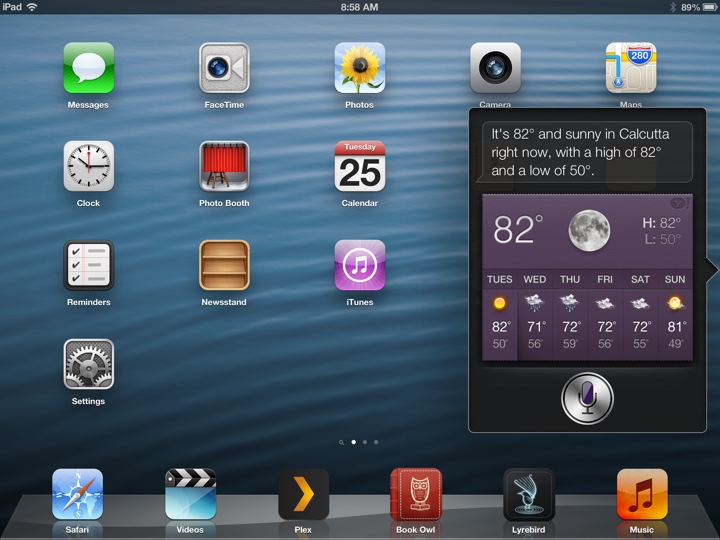
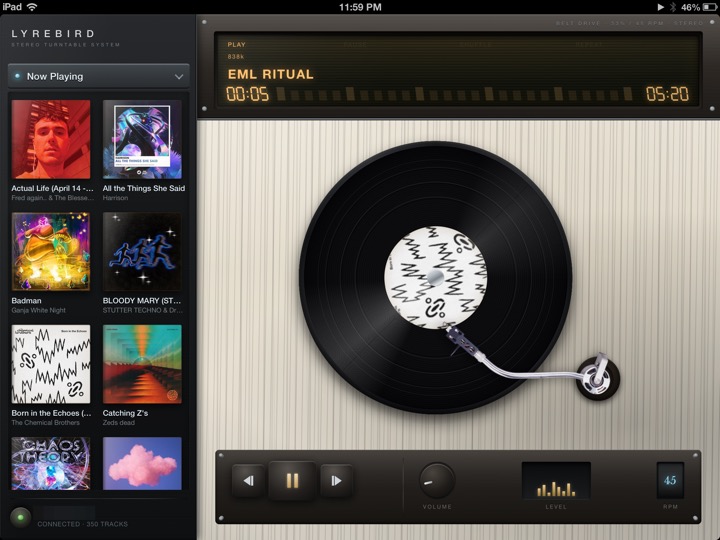
Add http://repo.theadipost.com/. Four packages, all armv7:
- Book Owl 0.2.1 (
com.aditya.bookowl, installs as/Applications/Folio.app) — an EPUB and PDF reader built to look like iBooks. Interactive page curl, seven typefaces, White/Sepia/Night, two-page landscape spreads, highlights, notes, bookmarks, in-book search. The part that matters most on a device with no working store is that it speaks OPDS, so it pulls a library off a calibre-web server over the network with no desktop sync and no cable. Its "Ask the Owl" feature needs an Ollama server on your own network and refuses cloud-routed models. - iOS 6 Siri Remastered 1.4 (
com.aditya.ios6siriremastered) — hooksassistantd, posts the audio Siri was already capturing to a server you run, and renders the reply into Apple's original 2012 result cards: weather widget, sports line score, player card, ticker, movie marquee, WolframAlpha pods. This half is useless on its own. It needs the server — roughly half an hour of Docker plus Ollama on a machine that stays on. Setup guide athttp://repo.theadipost.com/setup/ios6-siri-remastered.html. Built and tested on Gemma 4, swappable. - Lyrebird —
com.aditya.turntable 1.1for iPad (installs as/Applications/Turntable.app, landscape only, no portrait layout, no iPhone version) andcom.aditya.lyrebirdtouch 1.0.1for iPhone and iPod touch. Both are Subsonic-API clients for a Navidrome server.
The honest positioning: each of these needs infrastructure you may not have — a calibre-web server, an Ollama box, a Navidrome server. They answer "I already self-host things," not "I just want a reader." If you install none of them you still have a working device after the rest of this guide. My iPad runs Book Owl and Turntable.
6.9 Getting music onto the device without iTunes
Understand the obstacle first, because it explains why the obvious approach fails. Copying audio files into /var/mobile/Media/iTunes_Control/Music/ does not work. iOS keeps a private ledger of what it trusts; a hand-placed file may appear in the Music app and will not play. This is the single most common wasted evening for people reviving these devices.
Three routes that do work:
- Desktop over USB with no iTunes at all.
brew install libimobiledevice ideviceinstaller, thenafcclientfor media andideviceinstallerfor IPAs. Withcom.saurik.afc2dinstalled (version 1.2, on apt.saurik.com, already a default source), the AFC2 service exposes the whole filesystem rather than just the media partition. - Over the network. The device has
/usr/bin/scp, so plainscporsftpworks once SSH is running. - Hand it to the service iOS trusts. This is what Lyrebird's "Download to Music" does — rather than writing to the database, it hands the finished file to the same system service the iTunes Store used, so the device files it exactly as it would a purchase, and it then plays in Music, on the lock screen, and in playlists with Lyrebird closed. One quirk inherited from iOS itself: filing a song this way can leave a second empty copy with no duration that asks you to "connect to a Wi-Fi network" if tapped. Lyrebird deletes these on launch, but one can linger on a Music screen you already had open.
If you want the classic route, an old Mac or a VM running a period-appropriate iTunes still syncs. But Apple's own iTunes 12.6.5.3 download links are dead — the HT208079 support article returns 404 and the widely circulated secure-appldnld.apple.com URL returns 403. Do not follow a guide that prints a specific URL as if it still worked.
6.10 VPN and network
This is an area where a 2013 device is genuinely fine, and the reason is verifiable rather than folklore.
On my iPad, /usr/sbin/racoon (the IKEv1 IPsec daemon) and /usr/sbin/pppd both exist, dated 9 March 2013, with L2TP.ppp, PPTP.ppp and EAP-RSA.ppp in /System/Library/Extensions/, and com.apple.racoon registered with launchd. Critically, there is no NetworkExtension.framework on the device at all.
That single absence is the concrete reason WireGuard and every modern VPN client is impossible. They are all built on NEPacketTunnelProvider, which Apple introduced years after iOS 6. This is not a matter of finding an old build.
What you get instead is Settings → General → VPN with IPsec and L2TP/IPsec, configured entirely in the stock UI, no app to install. A strongSwan server on a Linux box or NAS is the natural counterpart and works — the custom root "Adi Homelab VPN CA" sitting in my device's trust store alongside the public roots is exactly that.
Do not use PPTP even though the device offers it as an apparently equal option. Its MS-CHAPv2 authentication has been considered broken since 2012 and most modern servers have removed support.
Other network notes:
- AirPlay: iOS 6 speaks the original AirPlay protocol, now called AirPlay 1 or "classic." Shairport Sync supports it explicitly and is very much alive — 8,833 stars, last pushed 2026-08-31, the day I checked. A Raspberry Pi or any Linux box running it gives you a working AirPlay target. Whether a current Apple TV or HomePod still accepts an AirPlay 1 stream from an iOS 6 device I could not verify; assume you may need the Shairport route.
- Wi-Fi: these are 2012 devices supporting WPA and WPA2 Personal. If your router is WPA3-only, or on a WPA3-transition mode some old clients mishandle, the device fails to join with no useful error. Check this before assuming a hardware fault.
- SMB and DLNA: I could not verify which legacy client apps still function against modern SMB (SMB1 is disabled by default nearly everywhere now) or current DLNA servers. Unresolved rather than recommended. SSH/scp and AFC2 are the reliable paths.
- Podcasts: the stock app depended on the iTunes Store catalogue. I found no verified working replacement client for iOS 6 and am not going to invent one. The honest answer today is to download episodes on a computer and file them into Music.
6.11 Plex, without signing in Home lab
The Plex client that runs on iOS 6 is old enough that it cannot complete a modern Plex account login. The account is the problem, not the video — the app itself plays perfectly well once it can see a server.
So do not make the device prove who it is. Make the server trust the device.
In Plex Media Server → Settings → Network, there is a field for a list of IP addresses and networks that are allowed without authentication. Put the device's address in it — or its whole subnet, if the address moves — and the old client connects straight to the server and starts browsing. No sign-in, no token, no account.
- Give the device a static lease on your router, so the address you whitelist stays the address it has.
- Add that address (or the subnet, e.g.
192.168.1.0/24) to the allowed-without-auth list. - Make sure the server is reachable over plain
httpon the LAN — this is the same reason everything else in this guide prefershttplocally. - In the client, add the server manually by address and port rather than waiting for discovery.
Understand what you just did. Anything on the addresses you listed can reach your Plex library without credentials. On a home LAN that is usually a fair trade; on a network you share with people you do not know, it is not. Narrow the range to the single device if you can.
This pattern — let the server trust the device, because the device can no longer prove itself — is the most useful idea in this whole guide. It is also how the Navidrome and Home Assistant setups in 8.8 work, and it is the reason a 2012 device can still be a good client for modern software.
7. Living with the hardware
7.1 Batteries
Every cell in these devices is twelve to fourteen years old. Lithium-ion ages on the calendar as well as by cycle count, so even a lightly used device has lost a large fraction of its capacity. The practical symptoms are short runtime, sudden shutdowns at 20–40% under load, and refusal to boot unless plugged in.
A swelling battery is the one that matters for safety. It pushes the display out of the chassis, and in an iPad it can crack the glass from the inside. If a device's screen is lifting at an edge or the back is bowed, stop using it and do not charge it unattended.
Difficulty varies enormously by model, and you should know which you are holding before ordering parts. iFixit guides, all confirmed live:
- iPhone 4S — https://www.ifixit.com/Guide/iPhone+4S+Battery+Replacement/7111
- iPhone 5 — https://www.ifixit.com/Guide/How+to+replace+your+iPhone+5+battery/10587
- iPad 4 Wi-Fi — https://www.ifixit.com/Guide/iPad+4+Wi-Fi+Battery+Replacement/18203
- iPad 4 GSM — https://www.ifixit.com/Guide/iPad+4+GSM+Battery+Replacement/28507
- iPod touch 5 — https://www.ifixit.com/Guide/iPod+Touch+5th+Generation+Battery+Replacement/104363
The shape of it, in my judgement rather than from a difficulty rating: the iPhone 4S and 5 are approachable jobs — two external screws and a pull-tab cell. The iPads and the iPod touch 5 are not. The front glass is bonded and heavily adhered, the battery is glued down, and the most common outcome of a first attempt is a cracked digitizer, which on these models can cost more than the device is worth. Read the whole guide before ordering anything, and on an iPad seriously consider paying someone.
Buy cells with realistic expectations. Aftermarket replacements for hardware this old are of wildly variable quality, and a suspiciously cheap one may be worse than the original.
7.2 What actually kills these devices
Ranked by what genuinely ends them:
- Deep discharge in storage. A device left flat in a drawer for a year can drop below the voltage at which its protection circuit will allow a charge, and it will never wake up again. If you are shelving one, charge it to roughly half and top it up once or twice a year. This is the single cheapest thing in this guide and the failure that quietly turns a working device into a paperweight between finishing this guide and coming back to it.
- Swollen batteries, per above.
- Repair damage — cracked digitizers from battery attempts, and torn ribbon cables.
- Port wear. 30-pin and early Lightning connectors accumulate pocket lint that reads as a charging fault. Clear it with a wooden toothpick before concluding anything is broken.
- Storage filling silently. My iPad's
/private/varis 82% full. Budget accordingly, and do not let a Cydia upgrade fail halfway for want of space.
And the one specific to the phones: on an iPhone 4, 4S or 5, treat it as a small Wi-Fi device with a camera. None of them support VoLTE, and the 2G and 3G networks they rely on for voice have been shut down in many places. I have not verified the per-country picture — check your own carrier before promising yourself otherwise.
8. The catalogue
Everything below was seen in a live repository index on 30 August 2026. Nothing here is from memory or from an old forum post. Where I run something myself I say so; where I have only seen it in an index, I say that too — installed and working are different claims, and this guide keeps them apart.
Effort tells you what a thing costs before you start it. Green is a couple of taps in Cydia. Orange means SSH, moving files, or editing something the system owns. Dark means you need a machine on your network that stays on.
8.1 Certificates and TLS
The keystone. Nothing else in the list works properly until HTTPS does.
| Effort | Package | Repo | What it does |
|---|---|---|---|
| Some effort | Updated root bundle | manual, see 3.5 | Replaces the 2013 trust store so modern certificates validate. I run this. |
| Some effort | TLSFix | nekokawa · skyglow | Unverified — I have not tested this. The one candidate for beating the cipher ceiling: routes HTTPS through a bundled TLS library. Read 3.10 for what installing it actually involves |
| Straightforward | SSLPatch | see 3.9 | Closes the "goto fail" signature-verification bypass (CVE-2014-1266), unpatched on every iOS 6 build except 6.1.6. It adds no certificates and will not make one extra site load |
8.2 Apple ID, Messages and the App Store
| Effort | Package | Repo | What it does |
|---|---|---|---|
| Straightforward | GSAPort | podpod123 | Ports Apple's GrandSlam authentication back to iOS 5–8. This is what makes Apple ID logins, iCloud and Messages work again after Apple retired plaintext auth. I run this; Messages works. |
| Straightforward | StoreSSLFix | nekokawa | Fixes the App Store's SSL connection on iOS 6 |
| Straightforward | StoreLoginFix | nekokawa | Fixes App Store login on iOS 5 and older |
| Straightforward | StoreEtcFix | nekokawa | Assorted Store function fixes |
| Straightforward | iTunesStoreX | skyglow | Fixes storefront connections across apps |
| Straightforward | iTunesLayoutFix | skyglow | Restores the classic iOS 6 App Store layout and fixes connection issues |
| Some effort | AppStoreFix | aoiblog | App Store connectivity for iOS 6 and earlier. Read 6.3 first — it works by editing the hosts file |
| Straightforward | Checkmate, Store! | invoxiplaygames | Disables App Store capability limits, so more apps appear installable |
| Straightforward | Re5tore | nekokawa | Restores the hidden iOS 5 store on iOS 6 |
8.3 Installing apps Straightforward
| Package | Repo | What it does |
|---|---|---|
| AppSync Unified | lukezgd · skyglow | Lets unsigned and fake-signed IPAs install. The foundation of sideloading. I run this. |
| IPA Installer | BigBoss | Installs an IPA from the device, command line or Cydia |
| Veteris | victorlobe | A store for legacy iOS — browse and install apps that still work on 6. I run this. |
8.4 Video
| Effort | Package | Repo | What it does |
|---|---|---|---|
| Straightforward | TubeReplacer | preloading | YouTube that actually works, with sign-in. Capped at 360p because it uses HLS. I run this. |
| Straightforward | TubeFixer | invoxiplaygames | The equivalent for iOS 3–5's YouTube app |
| Some effort | yt-dlp on a computer | — | Download and transcode to a profile the device can decode — see 5.5 for the per-device H.264 ceiling |
8.5 Apps that talk to services Straightforward
These fix a specific app whose backend moved on. Each depends on a third party continuing to cooperate, so treat this category as the most perishable.
| Package | Repo | What it does |
|---|---|---|
| MapsX | preloading · skyglow | Fixes Apple Maps and any MapView in the system. I run this. |
| MapsPhotosFix | podpod123 | Restores photos in Maps |
| Weather & Stocks | skyglow | Fixes the Weather and Stocks apps and their widgets |
| GoogleFix | victorlobe | Fixes Google on iOS 6 |
| GSignInFix | invoxiplaygames | Fixes login for Google-owned apps |
| Retranslate | preloading | Fixes Google Translate |
| iCloudMailFix | victorlobe | Restores iCloud Mail |
| FixMyFriends | victorlobe | Fixes Find My Friends on iOS 5 and 6 |
| BlueTweety | skyglow | Fixes the system Twitter integration. I run this — but the service behind it has changed a great deal; verify before relying on it |
| EBayX² | preloading | Fixes the eBay app |
| PinterestFix | victorlobe | Fixes Pinterest on iOS 5+ |
| SafariOldReddit | victorlobe | Redirects Reddit to old.reddit.com, which iOS 6 Safari can actually render |
8.6 Notifications and voice
| Effort | Package | Repo | What it does |
|---|---|---|---|
| Straightforward | Skyglow Notifications | preloading · skyglow | A low-power daemon that fetches notifications in the background |
| Home lab | AssistantX | skyglow | A fully offline Siri server using Vosk for recognition. Needs a machine to run on |
8.7 Quality of life Straightforward
| Package | Repo | What it does |
|---|---|---|
| iFile | BigBoss | On-device file manager. I run this. |
| WinterBoard | BigBoss | Theming. I run this. |
| Substrate Safe Mode | BigBoss | Gets you back in when a tweak breaks SpringBoard. Install this early |
| iPadPlus | albyvar | iPhone apps and widgets on iPad. Archive — frozen since 2018 |
| NCSettings | skyglow · albyvar | Notification Centre toggles |
| Activator · AppList · Flipswitch · CacheClearer | rpetri.ch | Ryan Petrich's shelf. Still installable; the index has not moved since 2020, so treat it as an archive |
8.8 With a machine on your network Home lab
This is where an iOS 6 device stops being a curiosity. Everything here works because the server does the modern part — the TLS, the transcoding, the authentication — and speaks plain http to the device on your own LAN.
| What | Needs | What you get |
|---|---|---|
| Plex, without an account | Plex Media Server | Your library on the device, with the server whitelisting its address instead of the client signing in — see 6.11 |
| Navidrome + Lyrebird | Navidrome | Your own music library, streamed or downloaded into the stock Music app |
| Calibre-web + Book Owl | calibre-web | Your ebook library, fetched over OPDS |
| Ollama + iOS 6 Siri Remastered | Ollama on a GPU-capable machine | Siri answering again, from a model you run, in Apple's own result cards |
| Home Assistant | Home Assistant | A dashboard the device renders perfectly, because it is plain http on the LAN |
| strongSwan VPN | A VPN endpoint | The stock iOS 6 VPN client speaks IPsec, so the device can reach home from anywhere |
9. What is still broken, and what would fix it Home lab
Everything above is something you can do today. This section is the opposite: the things I have not solved, written down honestly, because a guide that only lists wins is not much use when you hit a wall it never mentioned.
9.1 Safari and the cipher ceiling — a proxy on your own machine Home lab
This is the big one, and section 3 explains why no certificate bundle can fix it: the failures that report -9824 are not a trust problem, they are iOS 6 offering a set of ciphers that modern servers have stopped accepting. The roots are fine. The handshake never gets that far.
The only real answer is to stop asking the device to speak modern TLS at all. Put something on your own network that terminates the modern connection and re-serves the page to the device over plain http — the one transport that has never broken on iOS 6.
What that actually involves, honestly:
- A machine that stays on. A NAS, a Raspberry Pi, an old laptop. This is the part people underestimate; a proxy that is off when you pick up the iPad is worse than no proxy.
- A forward proxy that rewrites HTTPS to HTTP for the device, with its own certificate handling on the outbound side.
- Rewriting the page, not just the transport. This is where it gets real. WebKit 536 has no ES6, no
fetch, no modules. A modern site that negotiates perfectly will still render as an empty container. A proxy worth building therefore has to strip or transpile scripts, and often serve a simplified version of the page rather than the original. - Images and video. WebP and AVIF do not decode here; they need converting in flight. Same for anything the device cannot play.
- A decision about what you are willing to route. Everything the device loads passes through this box in the clear on your LAN. Do not put banking through it.
I have not built this yet. When I do, it will be written up here rather than described in the abstract.
9.2 The rest of the list
- A current AppSync mirror. The official repo is down; the guide points at a working alternative, but a canonical home would be better.
- Keeping GSAPort working. It authenticates against Apple's own GrandSlam endpoints, so it lives or dies by what Apple does next. Worth watching.
- A verified answer on TLSFix. Section 3.10 flags it as the thing that might beat the cipher ceiling on-device. I have not tested it properly. If it works, it changes section 3 substantially.
- YouTube above 360p. TubeReplacer works because it uses HLS rather than DASH; the ceiling is a consequence of that, not a bug.
- Podcasts, and anything else that assumed an Apple service. Mostly unexplored.
If you solve one of these, I would genuinely like to hear about it — every app on this repo has an issue tracker and they are all open for exactly this.
10. Re-checking this guide Straightforward
Every fact above has an expiry date. These are the checks that let you correct the page yourself.
Is a firmware still signed?
curl -s 'https://api.ipsw.me/v4/device/iPhone4,1?type=ota' \
  | jq '[.firmwares[] | select(.signed) | .version] | unique'
Swap in your identifier; use type=ipsw for full-firmware signing. Or open https://ipsw.me/<identifier> and read the green ticks. Cross-check against Legacy iOS Kit's live menu, which reflects what the tool will actually attempt.
Is a repo alive?
curl -sIL -A 'Telesphoreo APT-HTTP/1.0.592' http://REPO/Packages{,.bz2}
curl -s  -A 'Telesphoreo APT-HTTP/1.0.592' http://REPO/Packages | head -1   # must read "Package:"
curl -sI -A 'Telesphoreo APT-HTTP/1.0.592' http://REPO/Release | grep -i last-modified
Is a site reachable from the device? Use the APT-method probe in 3.4, on the device. Not the device's openssl, and not, on its own, a desktop OpenSSL simulation.
Did the certificate fix land? select count(*) from tsettings; against a copy of TrustStore.sqlite3. Zero means nothing was added.
Appendix: the dead list
Save yourself the hour.
| Thing | Status |
|---|---|
| evasi0n.com | Domain sold. Now an online-casino affiliate site. Do not click links to it |
| p0sixspwn.com (the application) | Redirects to ih8sn0w.com, offers a 2013 32-bit Mac build that has not run since macOS Catalina. The untether payload is still current |
| redsn0w, sn0wbreeze | Abandoned over a decade ago |
| Downgrading via shift/option-click in iTunes | iTunes is gone from macOS, and unsigned IPSWs are refused anyway |
| Getting SHSH blobs retroactively | Impossible, except via Cydia's saved-blob server for devices that ran Cydia at the time |
| iPad 1 as an iOS 6 device | Ceiling is 5.1.1. There is no iOS 6 for it |
| iPhone 5c as an iOS 6 device | Shipped with iOS 7. No iOS 6 firmware exists |
| iPad2,4 following iPad 2 instructions | Not signed for 6.1.3. Same case, different silicon |
| DST Root CA X3 as the Let's Encrypt bridge | Expired 2021-09-30. Every "Let's Encrypt works on iOS 6" guide predates this |
| Installing ISRG Root X1 alone | Fixes Let's Encrypt only. Use the full bundle |
| SSLPatch as a certificate fix | It is the CVE-2014-1266 "goto fail" patch. Install it, for that reason |
Editing /etc/ssl/certs or hunting for a PEM bundle | Nothing in the system trust path reads those directories |
The device's openssl as a test tool | 0.9.8zg, cannot do TLS 1.2, empty trust dir. Wrong stack entirely |
Expecting to fix -9824 | iOS 6 implements no AEAD cipher. Nothing on the device can add one |
cydia.akemi.ai, cydia.angelxwind.net | HTTP 522. AppSync's official repos are down. Use LukeZGD's |
apt.modmyi.com | NXDOMAIN. Remove it from your sources; it errors on every refresh |
cydia.hackyouriphone.org, repo.nabzclan.vip, apt.abbeycat.info, yzu.moe | Gone |
cydia.iphonecake.com | No APT index at the URLs guides list |
Anything on yourepo.com | Cloudflare JS challenge Cydia cannot solve |
| ModMyi and ZodTTD | 200 forever, frozen since November 2017. Not living repos |
| Filza on iOS 6 | Depends: firmware (>= 7.0). Use iFile |
| itag 18 | The muxed 360p file every old guide names. No longer published |
python3 -m http.server for video | No Range support. Playback stalls with no diagnostic |
| Jellyfin / Plex web UIs | Modern SPAs. iOS 6 Safari renders a blank page. No iOS 6 client exists |
| Invidious, Piped | TLS failures and JS-shell front ends. Not a route to YouTube |
tuberepair.uptimetrackers.com | Cloudflare 403 to everything |
| TubeFixer for the App Store YouTube app | It restores the stock app on iOS 1–5, with experimental iOS 6 support, and needs your own YouTube Data API key. Not the answer here |
| WireGuard on iOS 6 | NetworkExtension.framework does not exist. Not a matter of finding an old build |
| PPTP | Offered in Settings, broken since 2012, removed by most servers |
| Apple's iTunes 12.6.5.3 download links | HT208079 is a 404; the download URL is a 403 |
Things I could not verify
Publishing these rather than papering over them.
- Whether a fresh iOS 6 restore can sign in to an Apple ID at all, and whether a two-factor account works. I only observed an already-configured device. Somebody should do a from-scratch attempt and record the exact error.
- How long GSAPort keeps working. Messages authenticates through it on my iPad today. It depends on Apple's GrandSlam endpoints continuing to accept what it sends, which is outside anyone's control — this is the single most likely thing in this guide to stop being true.
- Whether TLSFix genuinely restores modern ciphers. Neither package was tested on hardware. If it works, it is the most important tweak in this guide.
- Whether iOS 6's APT honours the system HTTP proxy setting. Untested.
- Whether mitmproxy or WebOne work against these devices end to end. Both look like good candidates; neither was run.
- Whether the iPod touch 5's Main 3.1 / 720p ceiling holds in practice. It is Apple's published spec for A5 silicon that its sibling the iPad 2 exceeds, which is surprising enough to be worth confirming with a real file. My iPod touch 5 was off for this entire exercise, so nothing in this guide is iPod-touch-5-verified on my hardware; those claims come from Apple's specs and repo metadata.
- How my own iPad 4 got to 6.1.3. The device's own state is ambiguous — NVRAM carries OTA-updater signatures, yet iPad3,4 is not on Apple's signed-6.1.3 list. It is on 6.1.3 and it is activated, so it is achievable. I have not been able to reconstruct which route produced it, and I will not guess in print.
- The full authenticity of the root bundle. I fingerprint-checked three of its 32 roots against their CAs' published values. The other 29 have plausible names and correct-looking validity windows and were not individually verified.
If you get further on any of these on real hardware, I would like to hear about it. This page is meant to stay correct, which means it has to change.
Written from devices that are actually running this way. Where something is untested, the text says so.
Corrections are welcome and wanted: every app on this repo has an issue tracker, and this page is maintained the same way.