Lyrebird iOS 6 for iPad
v1.1 Released 29 Aug 2026 iPad · iOS 6+
A Navidrome client built as a stereo turntable: albums pressed onto records, a tonearm you scrub with, an amber LCD that wakes with the track. Its best trick: hold a cover and Download to Music, and the songs land in the iPad’s own Music app — playable with Lyrebird closed.
What it is
A client for Navidrome — the self-hosted music server — for iPads still running iOS 6, where no modern streaming app will install. It is not a list of songs with a play button. It is a stereo turntable, drawn edge to edge in landscape: platter, tonearm, amber LCD, and a cabinet's worth of switchgear that all does what it says.
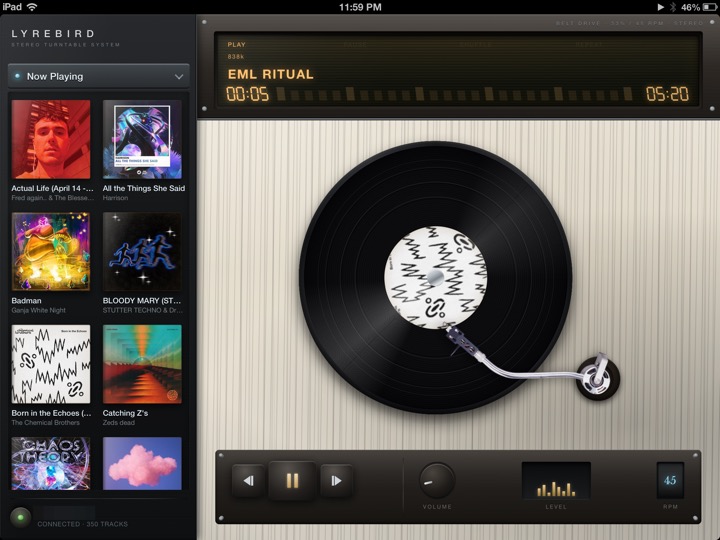 An album playing: the record turns at the RPM you set, the arm tracks inward, and the queue waits on the shelf beside it.
The deck
- Albums are pressed onto records. Choose one and it drops onto the platter, the arm swings in, and the LCD wakes with the track name.
- Sides run about half an hour, like the real thing. The deck flips to side B by itself, and when the record ends the queue presses the next one — the music simply keeps going.
- Scrubbing is dragging the tonearm. Lift it, set it down in a different groove, and the counter follows.
- Surface noise, if you keep it on: vinyl crackle under the music, and a stylus drop when a side starts.
- The deck has a sound for everything mechanical, a level meter that dances, and a 33⅓ / 45 switch the platter obeys.
The library
Everything lives behind a black aluminum sidebar: albums, artists, playlists, the queue, search. Tap Now Playing a second time and the sidebar becomes a shelf of what's queued, cover by cover.
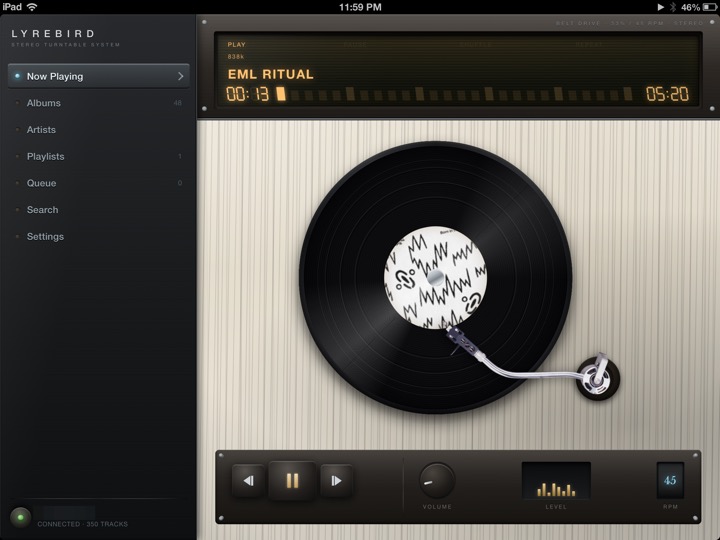 The full cabinet. The LCD sits in a machined fascia — BELT DRIVE, 33⅓ / 45 RPM, STEREO — above whitewashed oak.
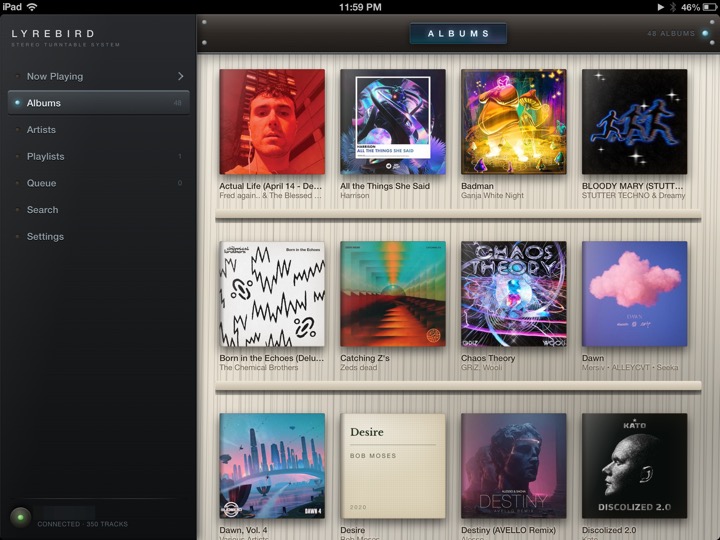 The record wall. Tap a cover and it goes to the platter.
- Album pages press either side onto the deck, or feed single tracks to the queue.
- Artists open into their albums; playlists show their tracks and play in one press, or grow by one from anywhere.
- Search reaches songs, albums and artists in one field.
Your server
Lyrebird speaks the Subsonic API, which Navidrome serves out of the box. Give it an address, a username and a password once, and the wall fills with your own records — cover art and all.
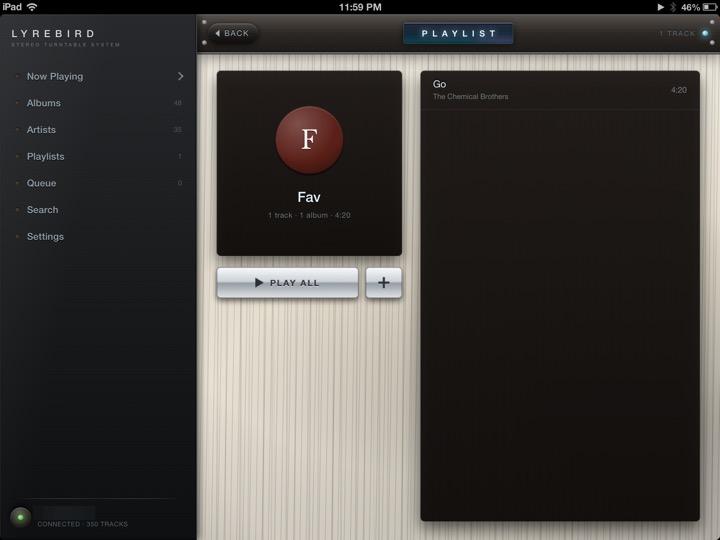 Playlists come across from the server, and new ones can be started on the iPad.
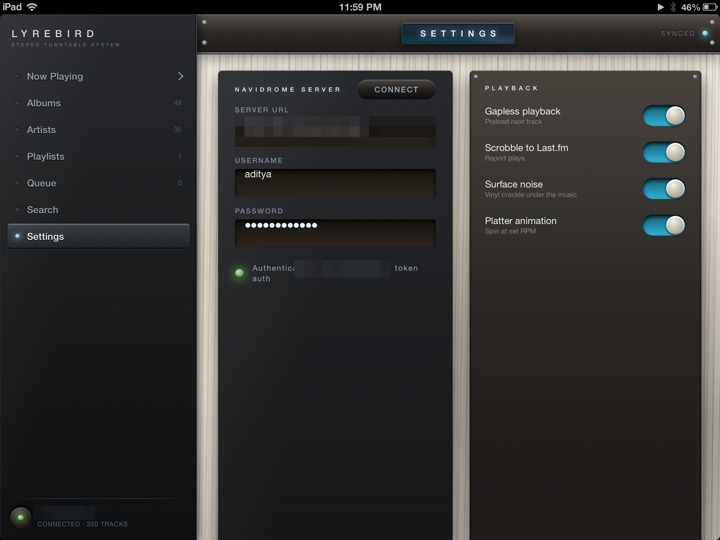 The connection form, and the playback switches — all of them shipped in the on position.
- Plays scrobble back through the server, so your listening history lands wherever Navidrome reports it.
- Sides play through without a gap — the next track is already on its way before the current one ends.
- The deck answers the lock-screen and headphone controls, and keeps playing while you do something else.
- Private by construction: it talks only to the server you name, on your own network, and nowhere else.
Downloads that land in the real Music app
Hold an album’s cover or a track and choose Download to Music, and it downloads — into the stock Music app, cover art and all.
This is the part that should not be possible. A file dropped into the music database by hand shows up but will not play; iOS keeps a private ledger of what it trusts. Lyrebird instead hands the finished download to the same system service the iTunes Store used, and the iPad files it exactly as it would a purchase: it plays in Music, on the lock screen, in a playlist, with Lyrebird closed. Downloads also play offline inside Lyrebird, and a Downloads screen in the sidebar shows each one’s progress with pause, resume and delete.
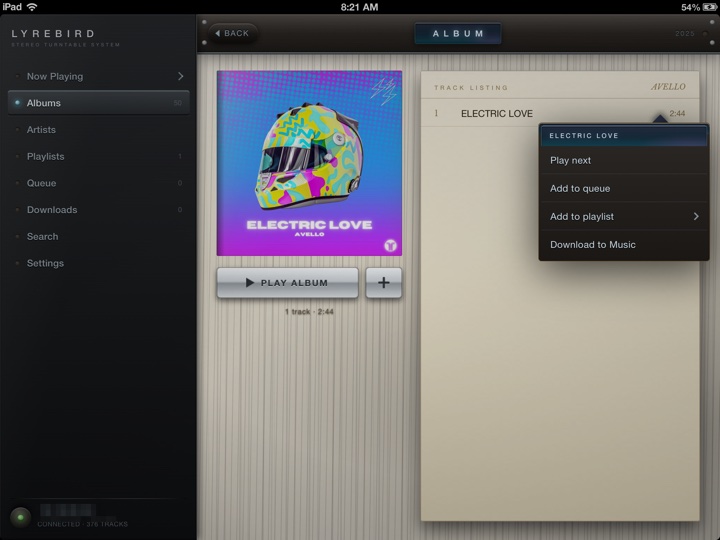 Every list has it now: Play next, Add to queue, Add to playlist — and Download to Music.
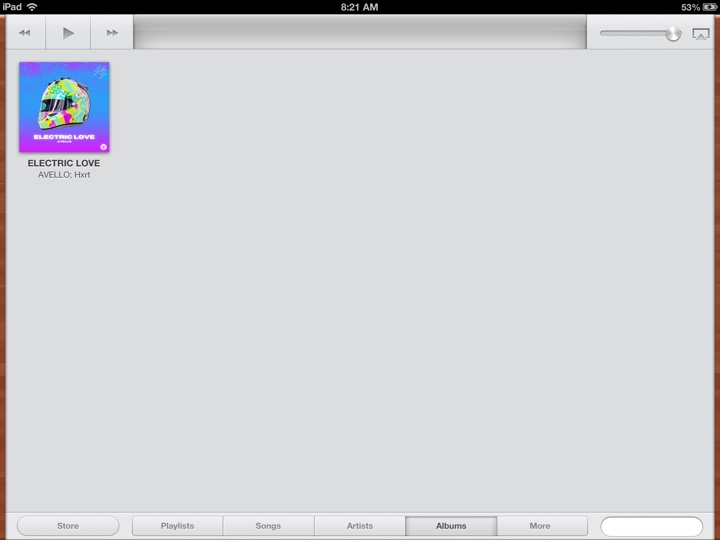 The same track in iOS 6’s stock Music app, filed like a purchase so it actually plays.
One known quirk, inherited from iOS itself: filing a song into Music can leave a second, empty copy of it there — a ghost with no duration that asks you to “connect to a Wi-Fi network” if tapped. iOS creates it for anything downloaded this way and it cannot be prevented, so Lyrebird deletes it automatically every time you open the app. If one lingers on a Music screen you already had open, close and reopen Music — or swipe the empty copy away. The real song is never affected.
Compatibility
It is built as an iPad bundle and drawn for a 10-inch screen held sideways; there is no portrait layout and no iPhone version. The deployment target is iOS 6.0, which is every iPad that ran iOS 6 — the iPad 2, 3, 4 and the first mini.
Filing songs into the stock Music app is the one feature that genuinely
needs the jailbreak beyond installation: it works because the app installs to
/Applications and asks the store service directly, which only a
jailbroken device permits. It is built and verified on iOS 6.1.3;
streaming works everywhere the app runs, and the Music filing is untested on
other iOS versions.
The binary is armv7, which every iPad ran until iOS 11 removed 32-bit apps in 2017, so in principle it installs anywhere up to iOS 10.3.4 — untested, and expect the chrome to sit oddly there, since it is drawn against iOS 6's status bar.
http://repo.theadipost.com/Installs to /Applications, so it needs a jailbroken device. The songs it filed into Music, and your server details, are left in place if you ever remove it.
Bugs and requests: github.com/adityasreedhar/lyrebird-ipad/issues
Free, with no ads and nothing phoning home. If it earned a coffee: venmo.com/u/Aditya-Sreedhar