
iOS 6 Siri Remastered
v1.4 Released 29 Aug 2026 iPad · iPhone · iOS 6
Apple switched off the service iOS 6's Siri called, and Siri went quiet. This points it at a server you run at home, running whatever open model you choose — it is built and tested on Google's Gemma 4. It holds a real conversation, follow-ups and all, and the answers come back in Apple's own result cards: the weather widget, the sports board with its inning-by-inning line score, the player card, the ticker, the movie marquee, WolframAlpha's plotted pods. Nothing is recreated. Every card is drawn by the code Apple shipped in 2012.
What it is
Siri shipped on these devices and then stopped answering: the service it called was retired, and what is left on the machine is a beautiful interface wired to a dead number. This tweak reconnects it — not to Apple, and not to a replacement assistant, but to a small server you run on a computer in your own house.
You choose the brain. The server talks to Ollama, so any open model it can run is fair game. It is built and tested on Google’s Gemma 4, which is small enough to sit on a spare Mac or a home server and still hold a conversation — swap it for Llama, Qwen or Mistral by changing one line and restarting. Nothing else has to change.
To whoever is holding the iPad, it is still just Siri. Hold the home button, ask, and a native card answers.
It hooks assistantd, captures the audio Siri was already
recording, posts it to your server over the local network, and turns the JSON
that comes back into the same objects iOS 6 builds for itself. Nothing is
reskinned and nothing is drawn from scratch, which is why the cards look
right: they are the originals.
Before you install
This half is useless on its own. The tweak needs the server, and the server needs about half an hour on a computer that stays on — a Mac, a Linux box, a NAS, a Raspberry Pi. Docker, Ollama, one model pulled down, done.
Open it on the
computer that will run the server:
http://repo.theadipost.com/setup/ios6-siri-remastered.html
The guide covers all of it from nothing: installing Docker, choosing and pulling an Ollama model, starting the stack, finding your machine's address, and filling in the Settings pane. It assumes you have never used either.
What it does
Ask it something and the answer arrives in Apple’s own result card — the same one iOS 6 has always drawn, filled with data from your own machine. Nothing here is a lookalike.
Weather
The full widget: day and night artwork, the seven-day row, the hourly strip. Ask about another city and it goes there; ask “and next week?” and it stays there.
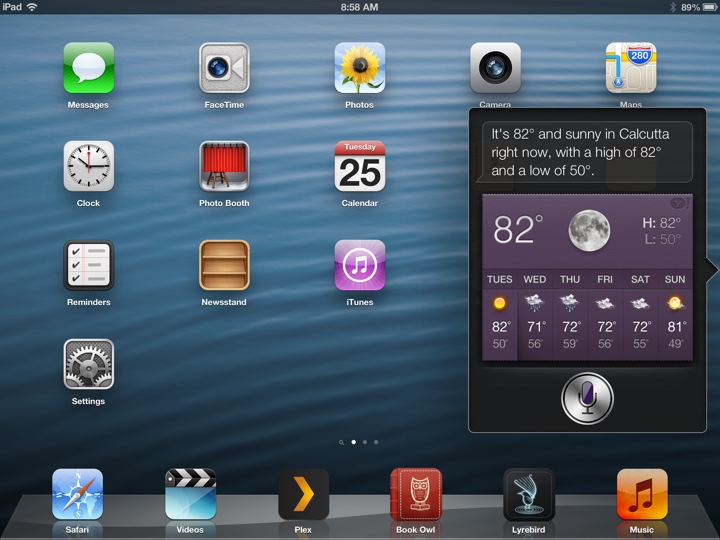 Calcutta, with the week ahead. Open-Meteo, no key needed.
Sports
Live and final scores with real team logos, per-period line scores, and hits and errors for baseball. Basketball, American football, baseball, hockey, MLS and the major European leagues. “Last night’s game” is a thing it understands.
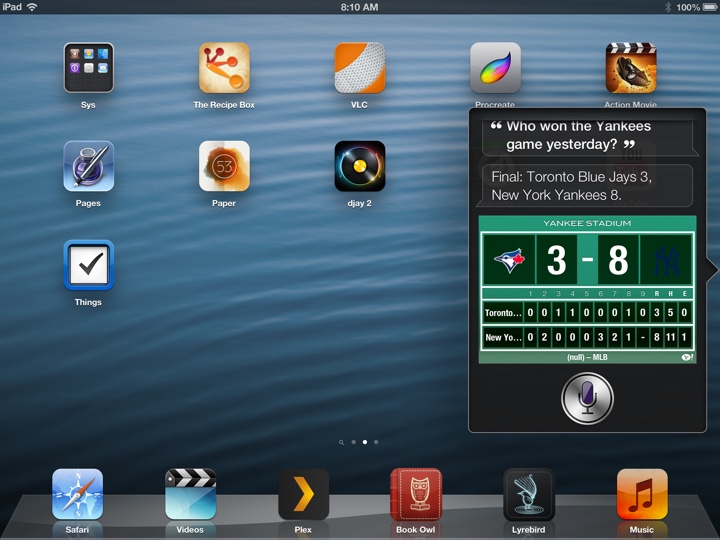 Final score, with the inning-by-inning line score underneath.
Ask what is coming up instead and you get the schedule board — the fixtures, the dates and the times, in the card iOS 6 draws for a league slate.
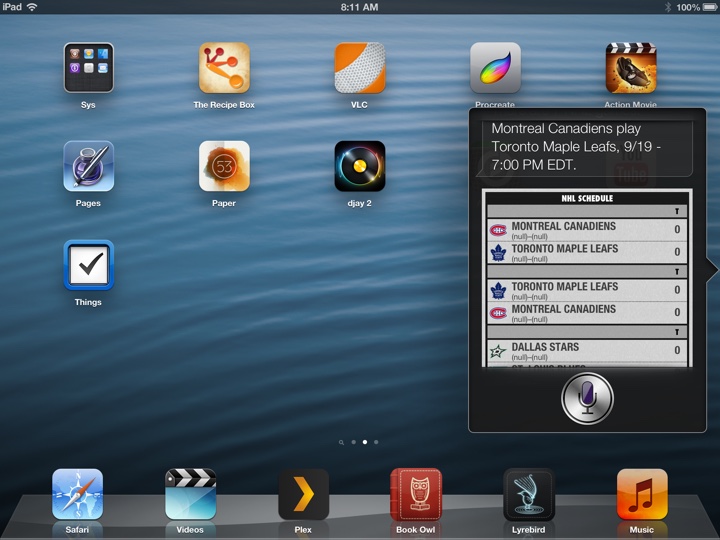 Upcoming fixtures, pulled live from ESPN.
Players
The athlete card: headshot, jersey number, position and club, birth date and birthplace, height and weight, and a four-cell stat grid chosen for the position. A statistic that genuinely does not exist shows a dash, exactly as Apple’s card does.
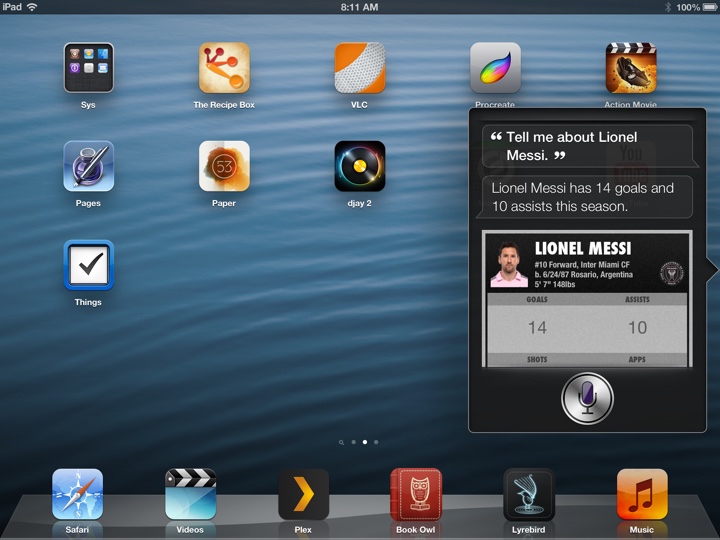 Ask about a player and the card fills itself in.
Shares
Price, change, the day’s range, market capitalisation, the 52-week high and low, volume and P/E — in the ticker card iOS 6 shipped with.
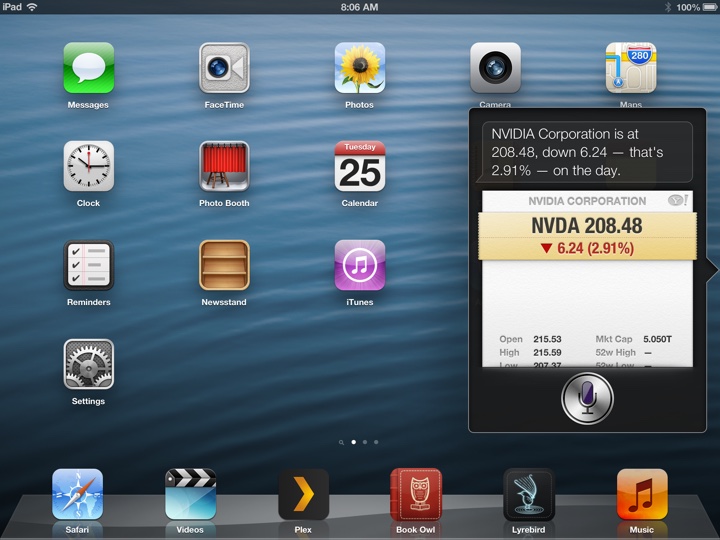 A quote, with the day’s numbers underneath.
Films
The “Now Playing” marquee with poster art, ratings, runtimes and synopses — filtered by genre if you ask for comedies. Tap a title for the full sheet. Needs a free TMDB key.
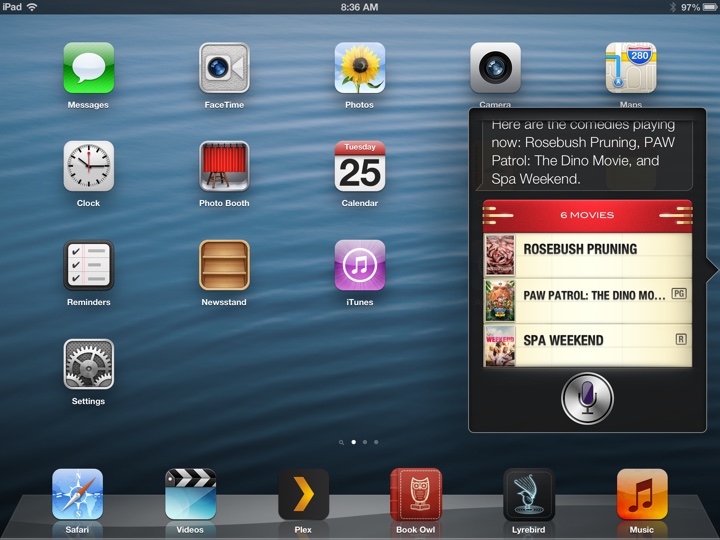 “What comedies are playing?” — the marquee, filtered.
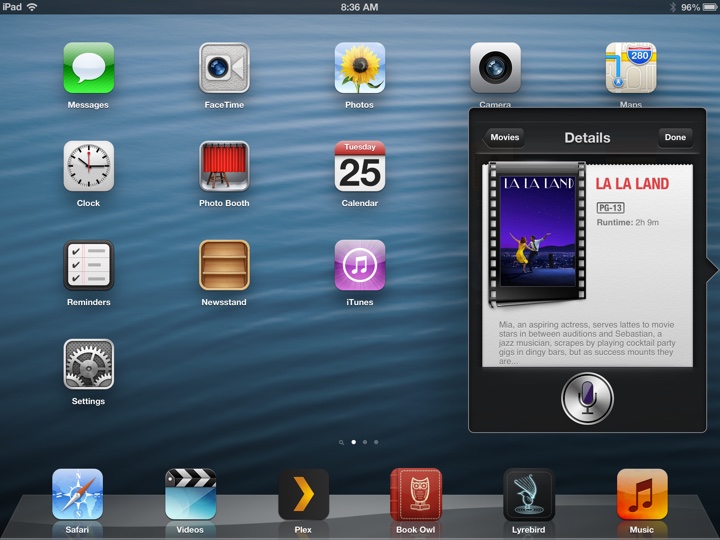 Tap through for the poster, the runtime and the synopsis.
Maths, conversions and definitions
Worked out locally where it can be. Add a free WolframAlpha AppID and the card fills with Wolfram’s own rendered pods — typeset equations, plotted curves, population charts.
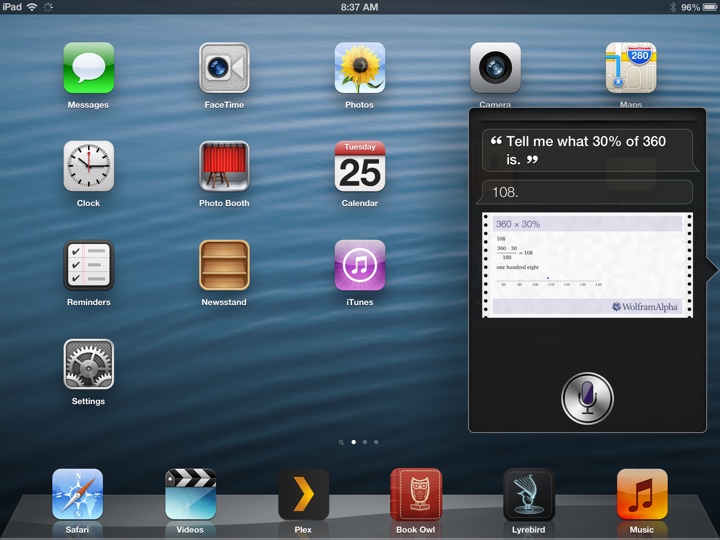 Not a sentence about the answer — Wolfram’s own rendered working.
Somewhere to eat
Name, cuisine, address, phone, opening hours and how far away it is, with a map and a button through to OpenTable. From OpenStreetMap, no key.
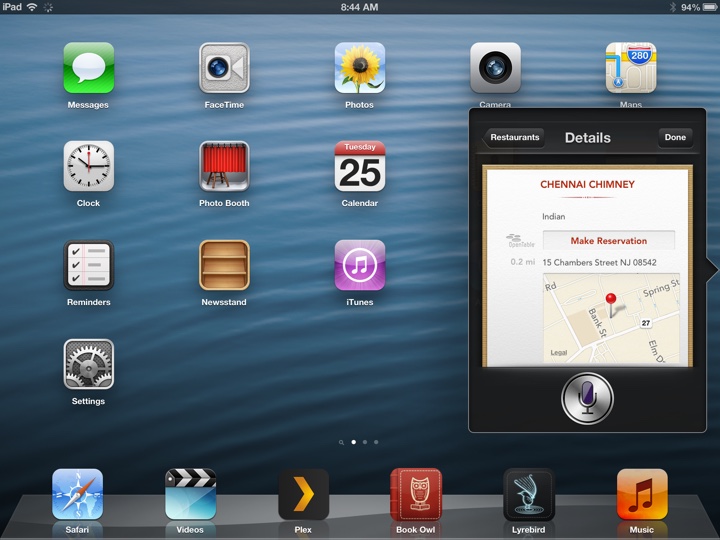 Places nearby, with a table to book.
It can write a note
Say “make a note to buy milk” and it writes one, in the Notes app, and shows you the note it wrote. Ask without saying what it should say and it asks you, then listens for the answer.
It tells you the note is saved only after the Notes app confirms that it is. If the write fails, it says so.
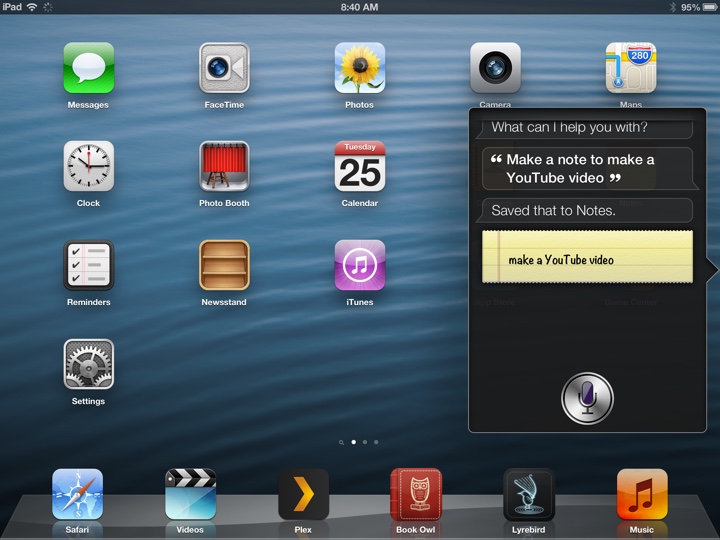 Dictated, written, and shown back to you on Apple’s own note card.
It holds a conversation
Follow-ups work on every card. Ask for a share price and then “why did it go down?” and you get a reason with sources — not the same card again. “What about yesterday?”, “what team does he play for?”, “do I need an umbrella?” all keep their place in the conversation.
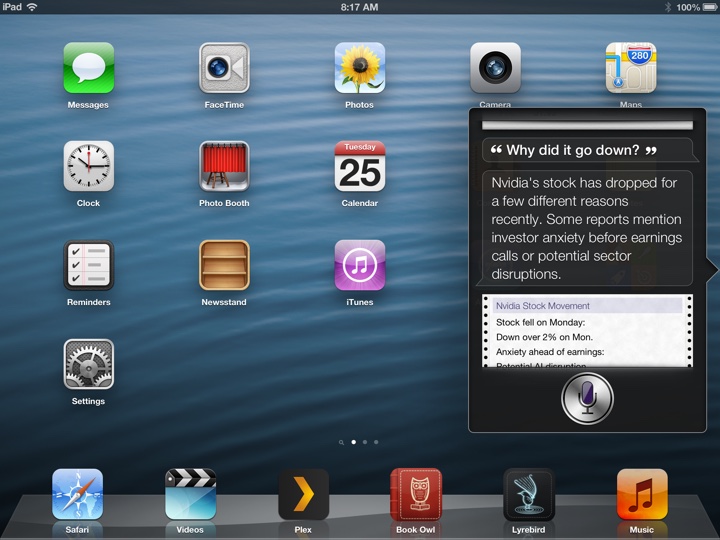 A follow-up gets an answer, not a repeat.
And it tells you the truth
It cannot set a timer, send a message, place a call, play music or turn off your lights — so it says so plainly, every time, instead of pretending. Ask what it is and it will tell you which model it runs on and whose machine that is. An assistant that says “I’ve set that timer” without setting one is worse than one that admits it cannot.
What it needs
- A jailbroken iOS 6.x device that shipped with Siri, plus MobileSubstrate and PreferenceLoader — both pulled in automatically when you install this.
- A computer on the same local network, with about 4 GB of free memory. A GPU is optional and only speeds up transcription.
- Docker and Ollama on that computer. Both are free, and the setup guide walks through installing them.
- No Apple ID, no developer account, and no API keys. Two free keys add the movies card and Wolfram's plots; everything else works without signing up for anything.
Settings
A pane in Settings holds the server address, your location and units, and a switch for each of the six kinds of card. That is deliberately all of it — the model and the two optional keys are configured once on the server, so the pane stays short and opens instantly, with no waiting on the network. Changes apply to the next question you ask — no respring, no toggling anything off and on.
Private by construction. The audio goes to your machine and nowhere else; nothing is sent to Apple. The only traffic that leaves your network is the public lookup each card needs, made by your own server.
What it does not do
Some things have no free source, and a card that invented them would be worse than a card without them.
- No showtimes. The movies card knows what is playing, not when.
- No live reservation availability: OpenTable's API is partner-only, so the button opens a search rather than booking a table.
- No restaurant ratings, review counts or price levels — OpenStreetMap does not carry them.
- Sports coverage is the leagues listed above. Cricket, Formula 1, tennis, rugby and golf come back as a web answer instead.
Compatibility
Siri arrived on the iPhone 4S and, on iPads, only on the third generation and later — the tweak hooks what is already on the device, so a machine that never had Siri has nothing for it to hook. The iPhone 4S, iPhone 5, iPad 3, iPad 4 and the first mini all qualify on iOS 6.
The device talks to the server over plain http, because
iOS 6 cannot validate the certificate roots the modern web uses. That is
also why the server fetches and re-serves every poster and logo itself: an
https image would simply never load here.
http://repo.theadipost.com/Installs to /Library/MobileSubstrate, so it needs a jailbroken device. Your server address and settings are left in place if you ever remove it.
Bugs and requests: github.com/adityasreedhar/ios6-siri-remastered/issues
Free, with no ads and nothing phoning home. If it earned a coffee: venmo.com/u/Aditya-Sreedhar